
——————————目录大纲——————————
一、说明
本文进行说明AEM系统中组件使用的流程。
目前还没有找到类似更快速一键化构建的方式。
注意:
页面级别的组件(类似框架组件)都在structure目录,如:/apps/lenovo-www/components/structure
日常的组件都在content目录,如:/apps/lenovo-www/components/content
二、正文
1、CRX创建组件
1.1 通过CRX后台创建
首先进入CRX后台,然后进入如下目录/apps/lenovo-platform/components/content:
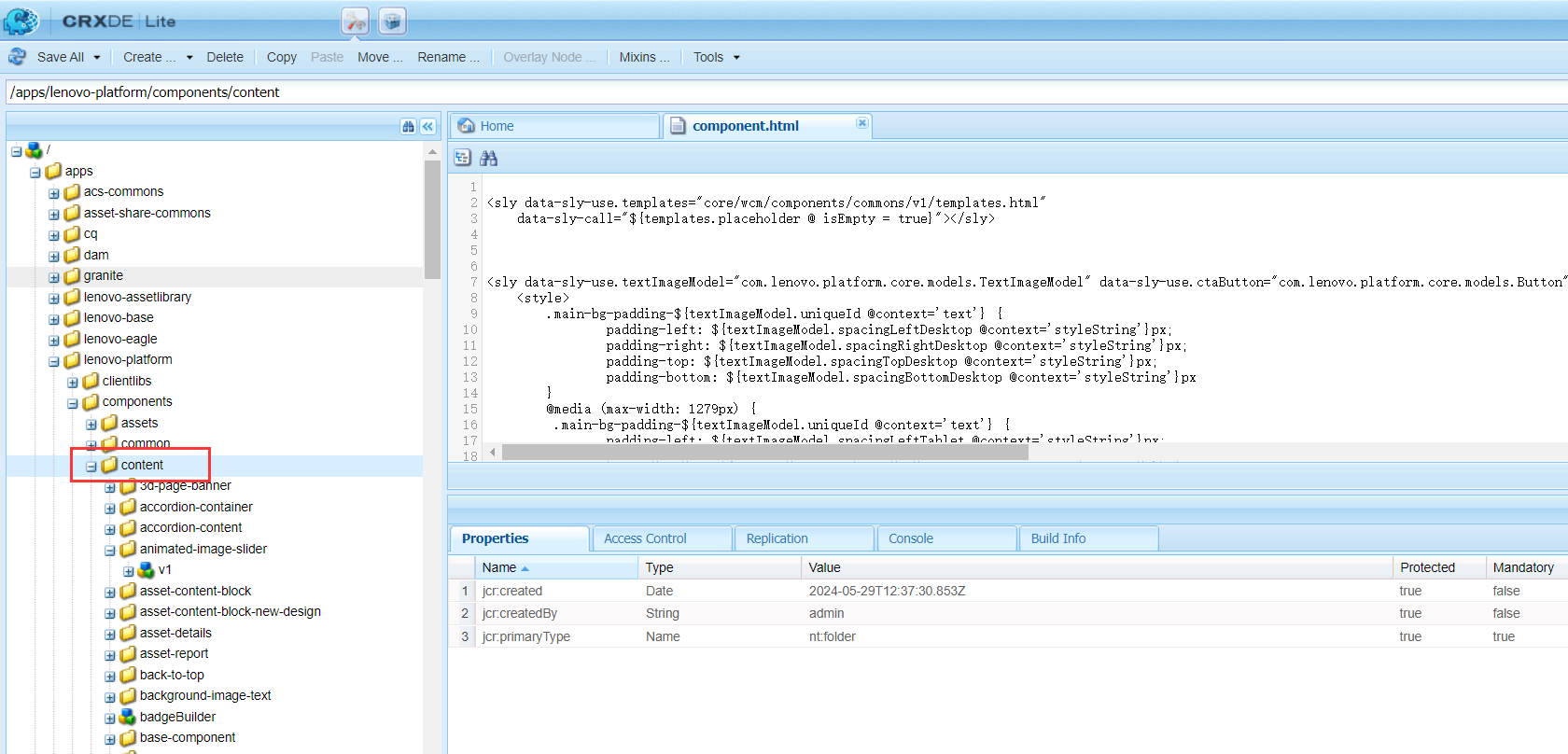
右击content,选择创建目录:
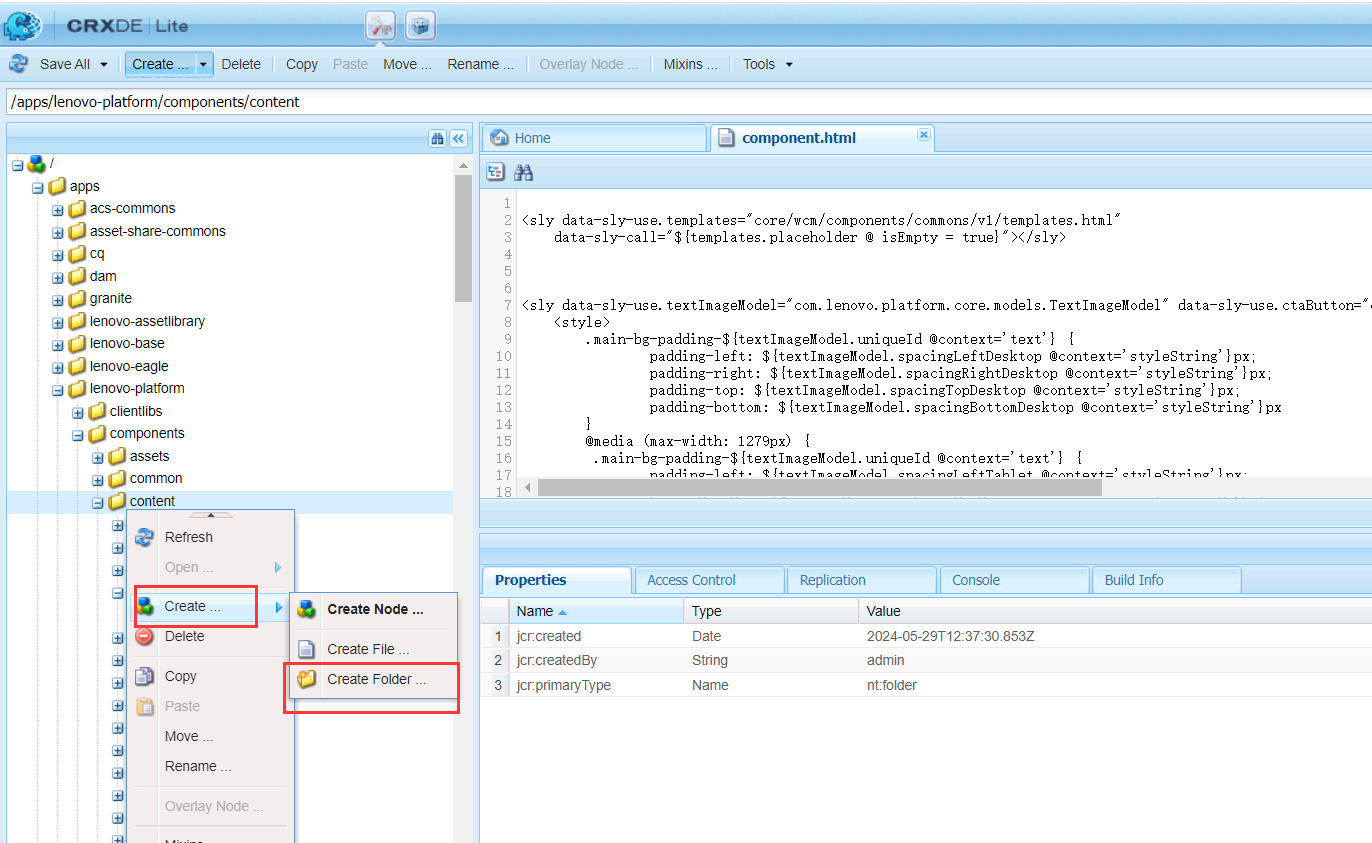
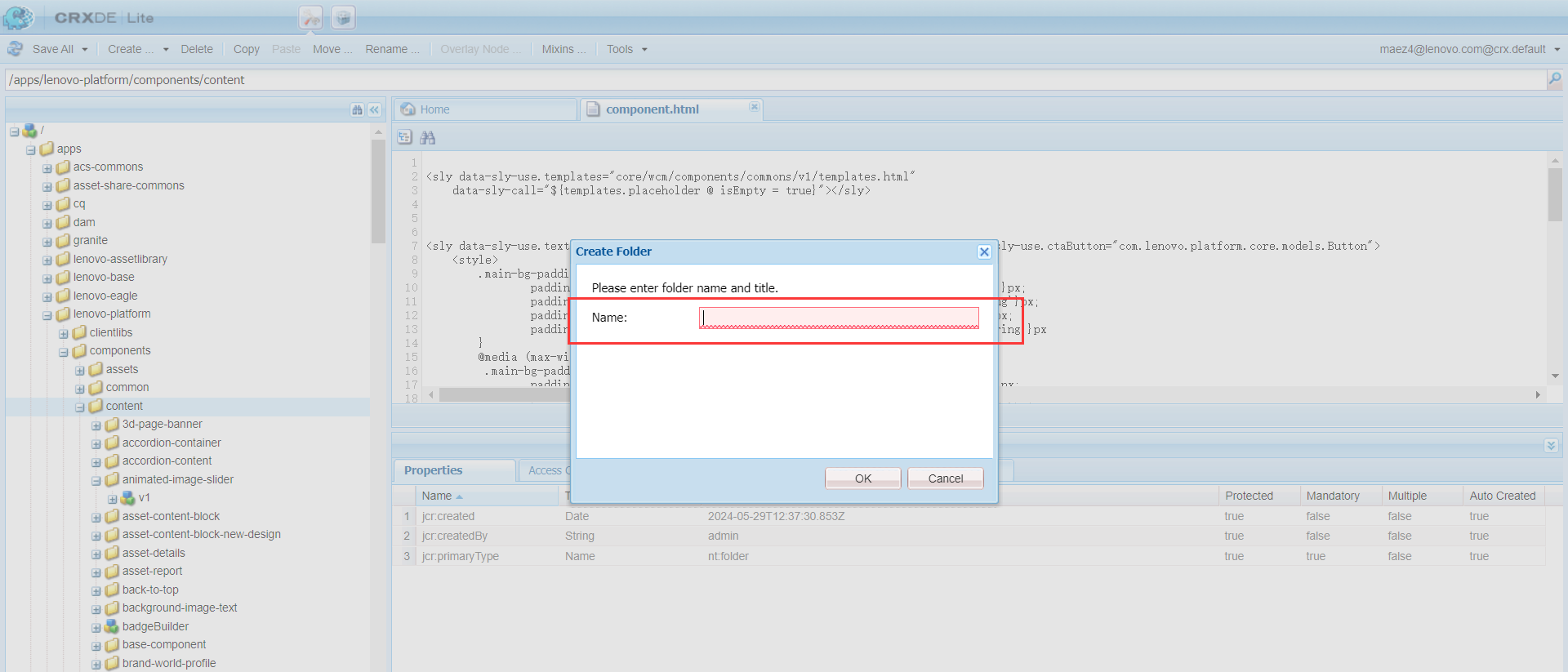
输入组件名称:
组件目录创建出来:
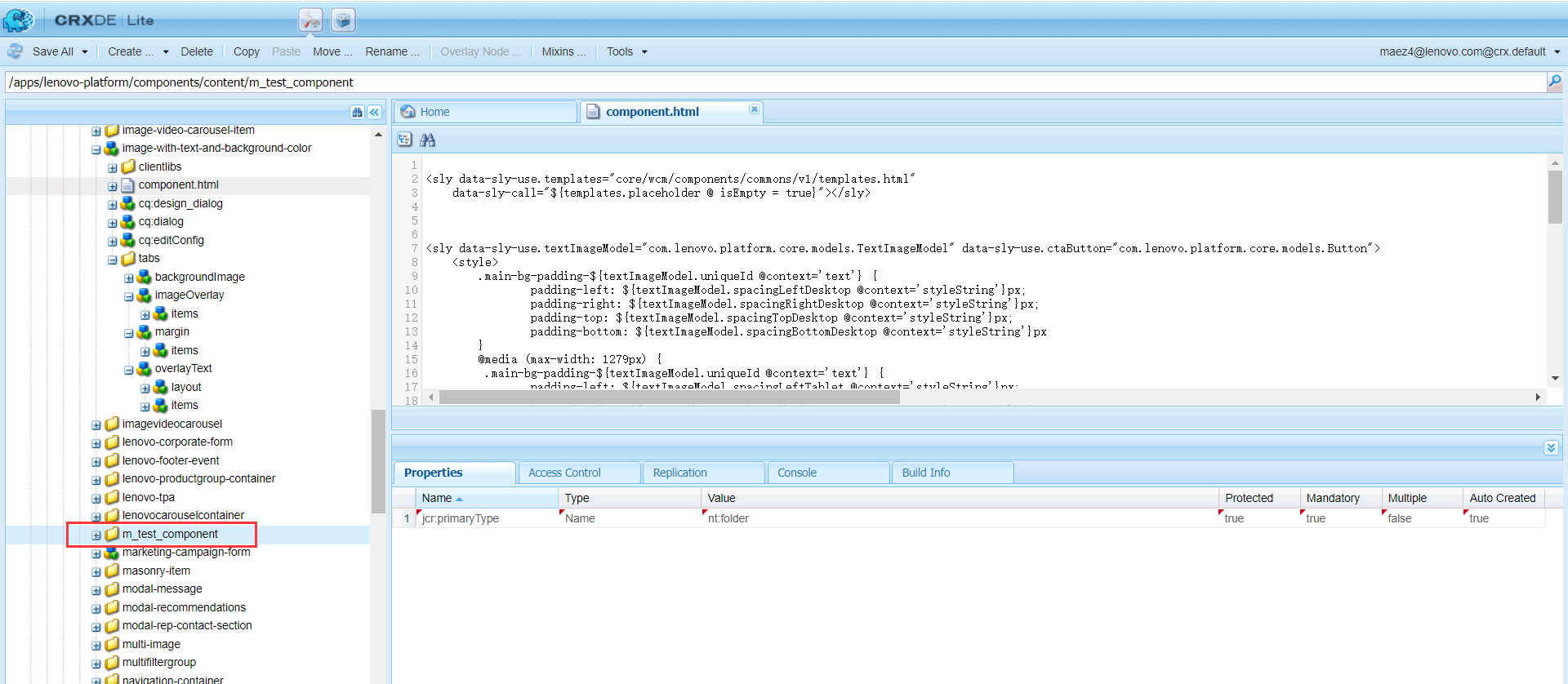
此时别忘记点左上角【Save all】去保存,或者使用Ctrl + S快捷键去保存,否则会影响后续的流程:
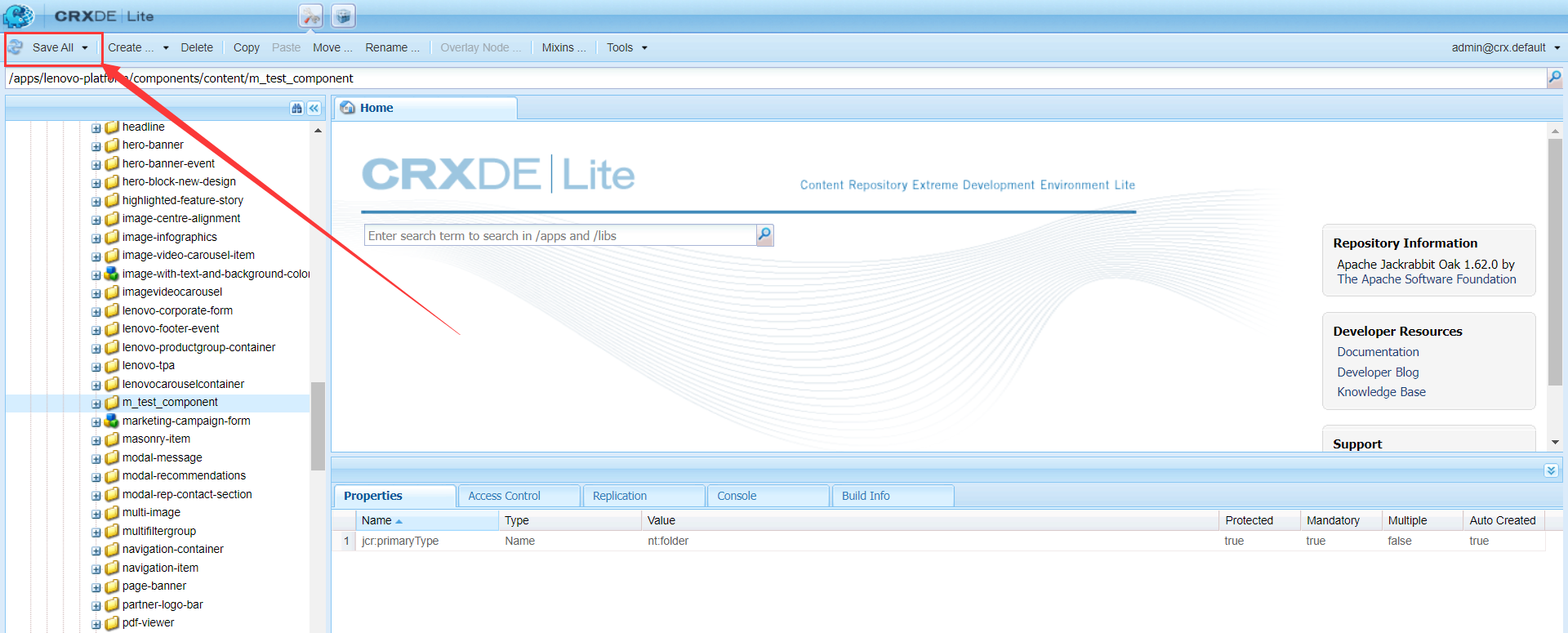
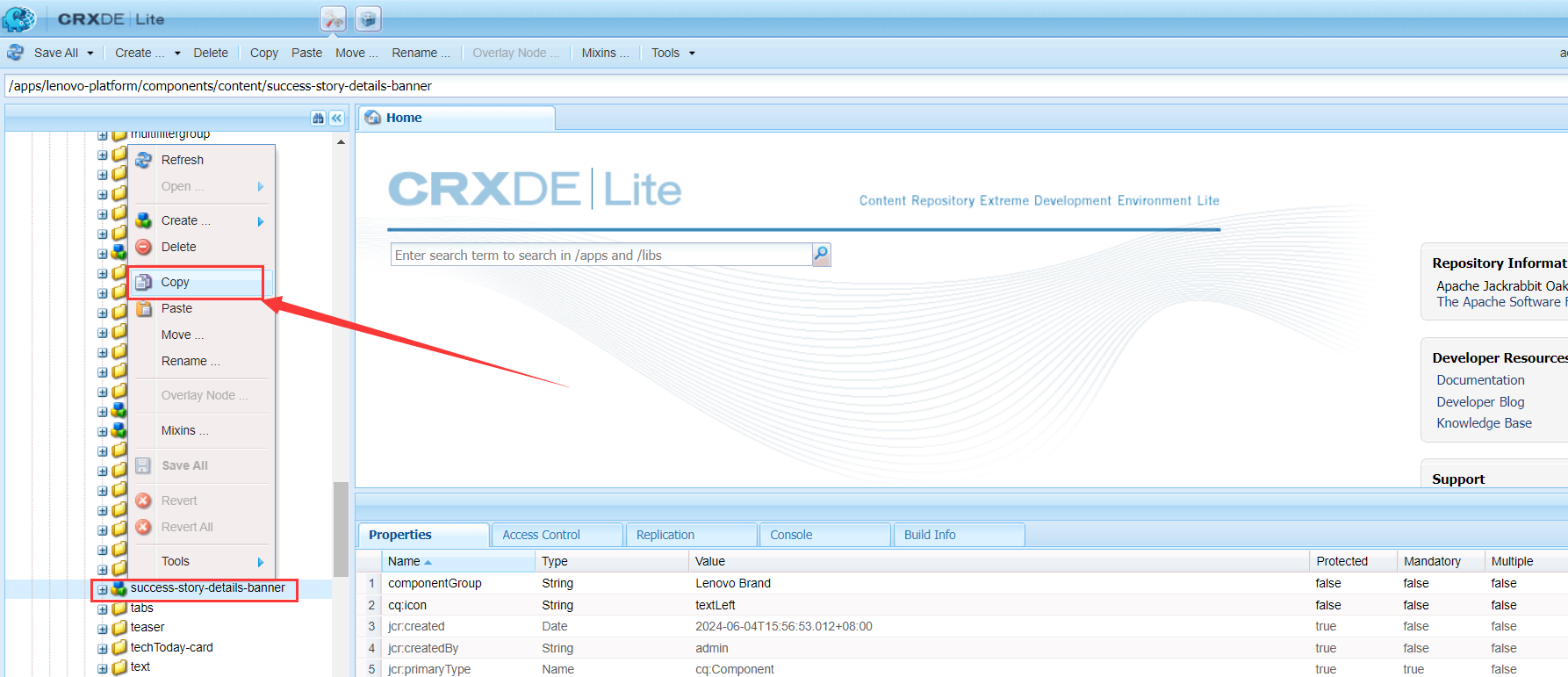
然后将其他现有组件的内容Copy过来:
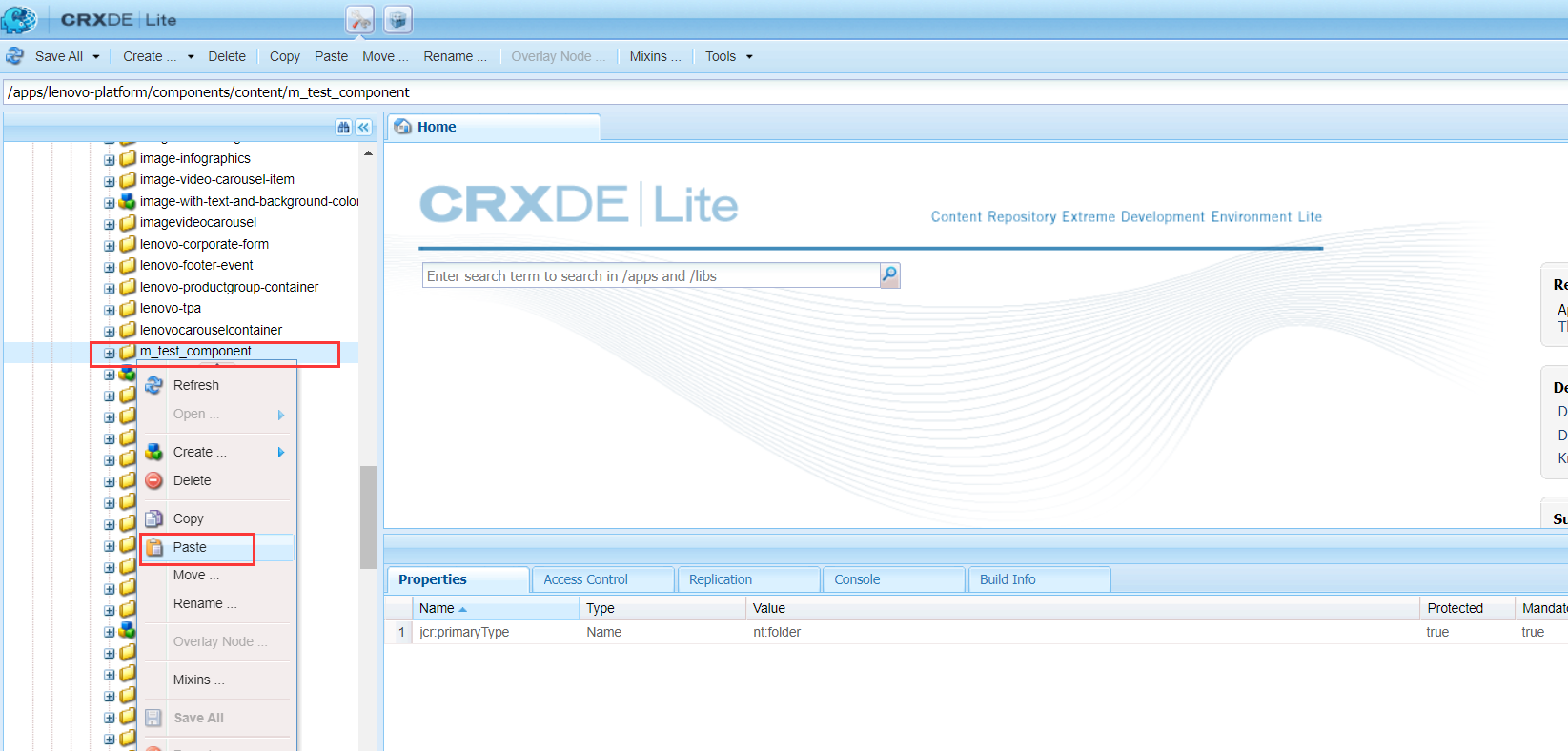
粘贴到新创建的组件目录:
内容过来了
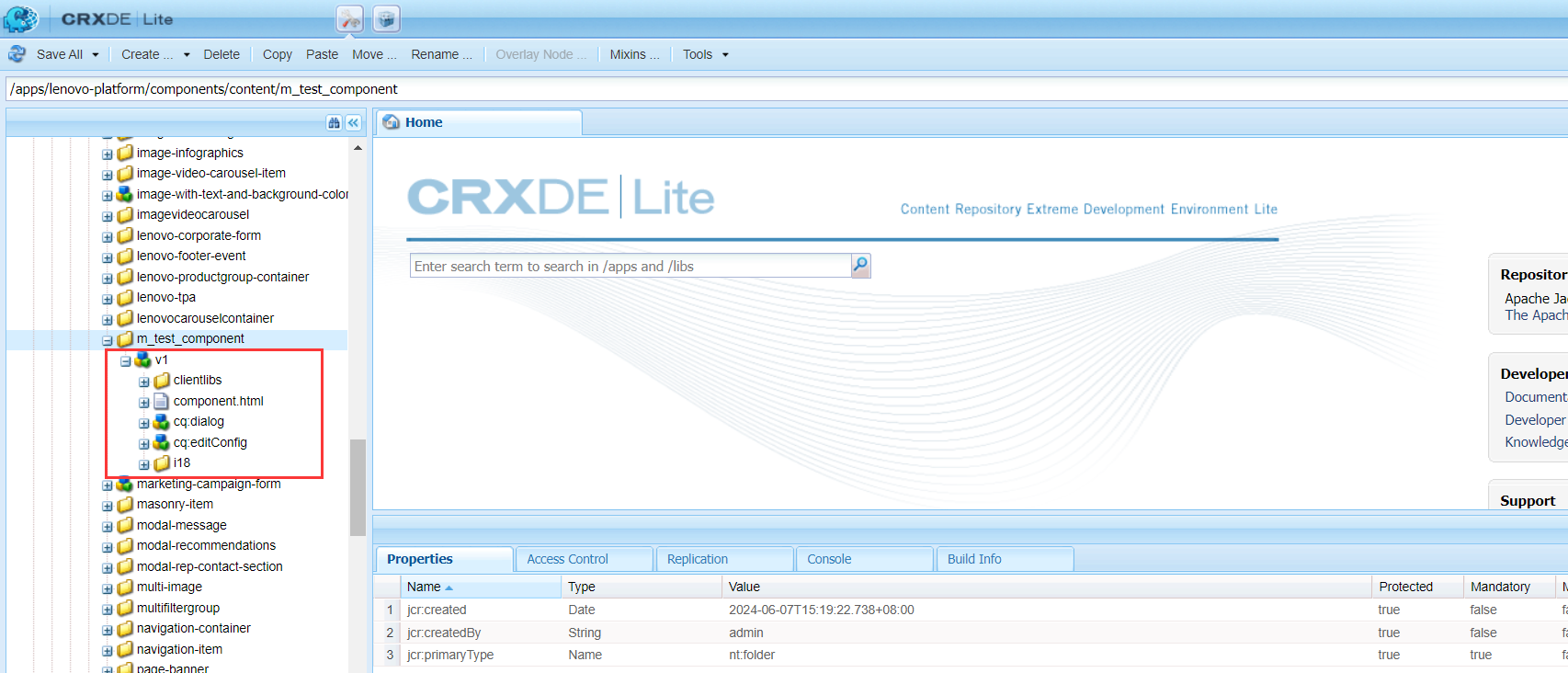
可以首先修改组件名称:
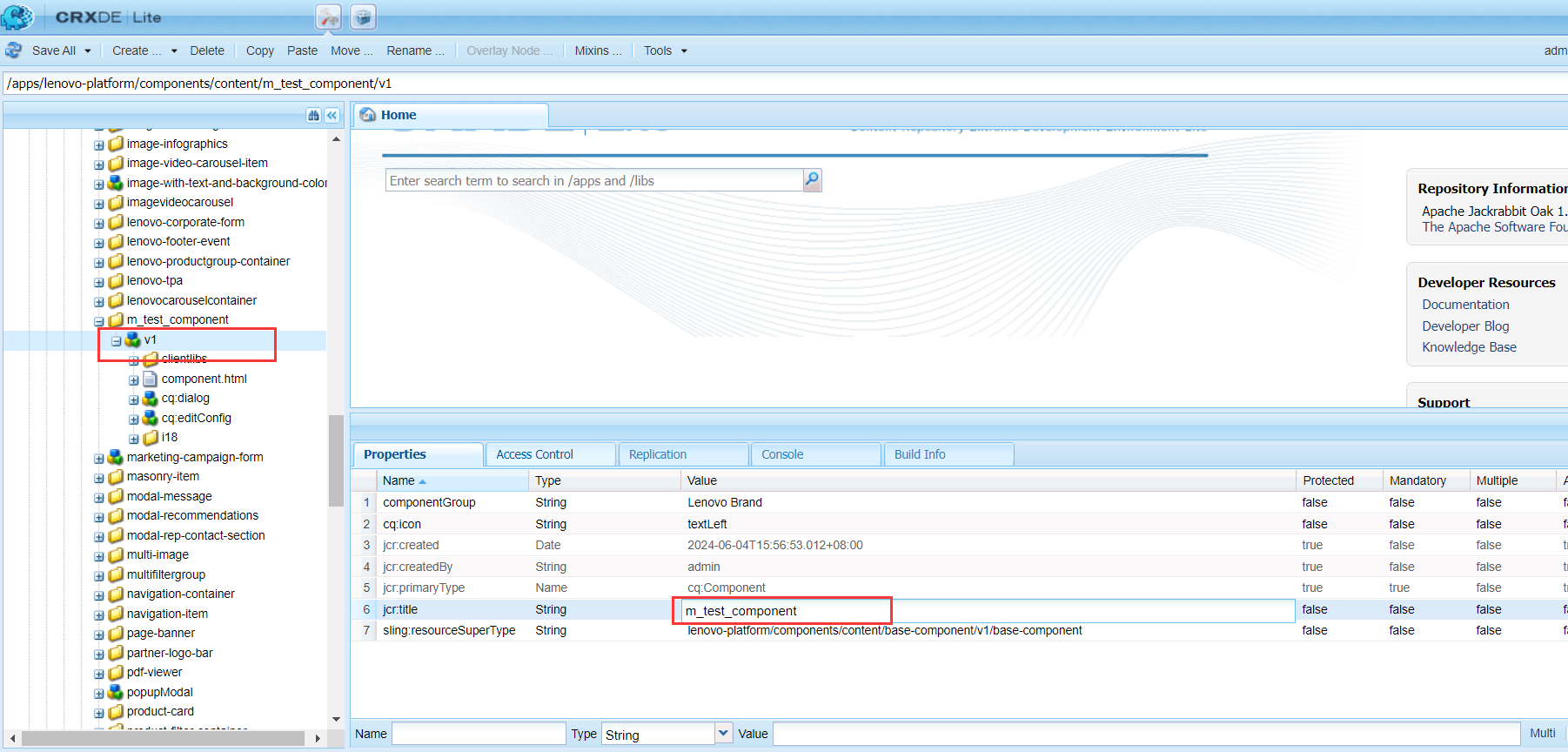
其中resourceSuperType一直保持默认base-component即可
双击component.html,可以查看组件实际具体的内容
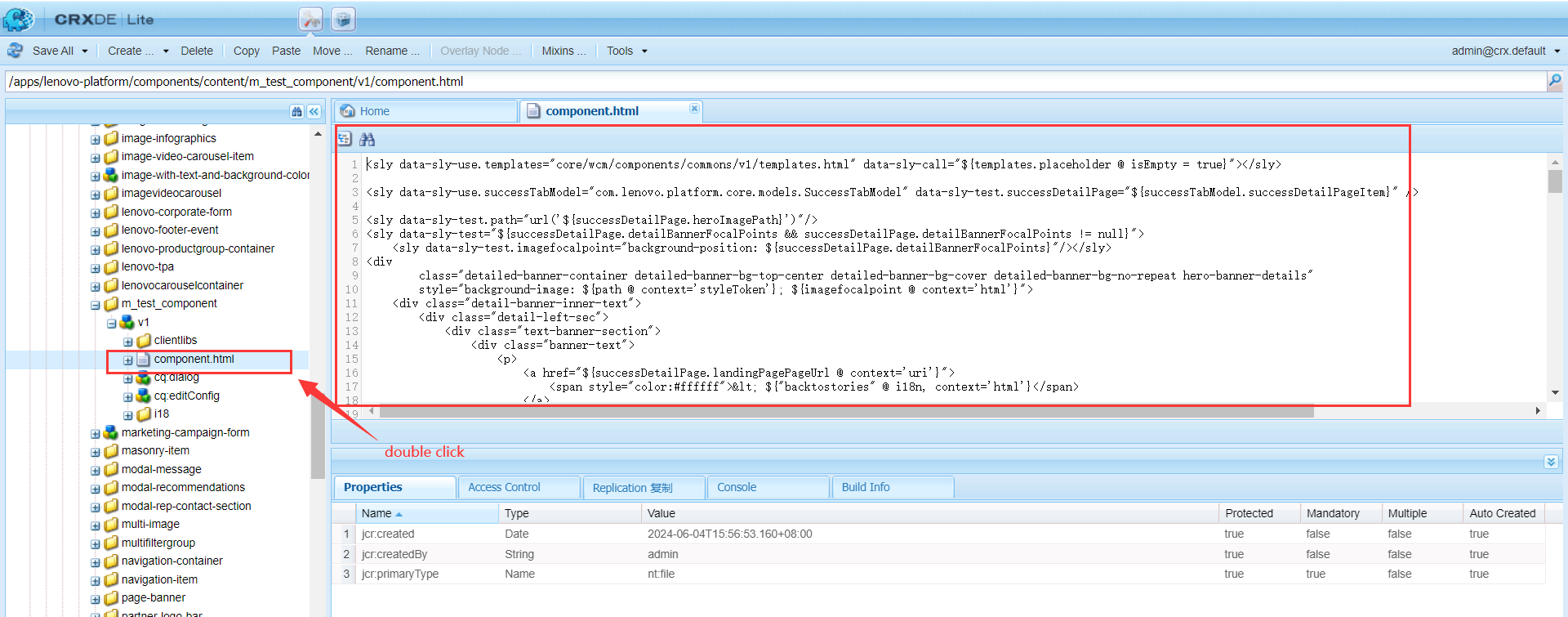
尝试修改一下内容:
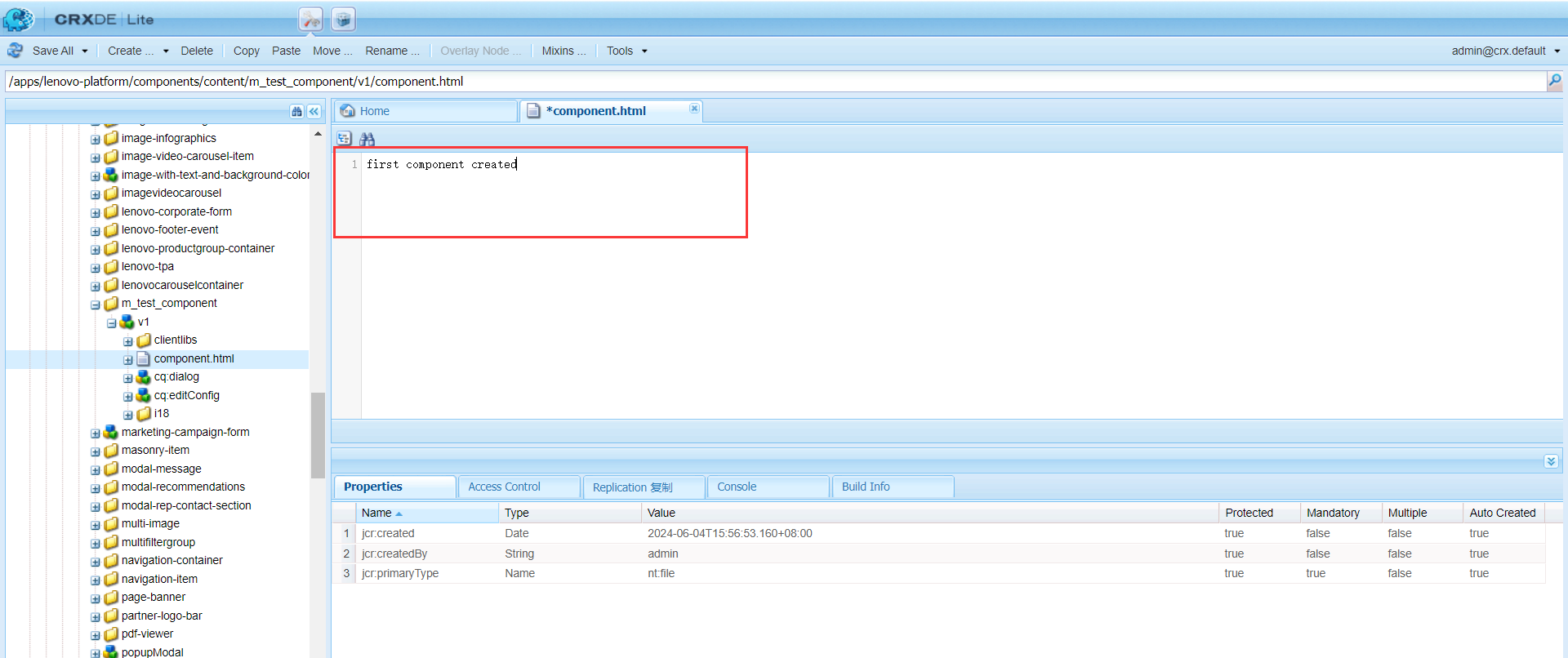
别忘记Ctrl + S保存
1.2 local环境拉取到本地
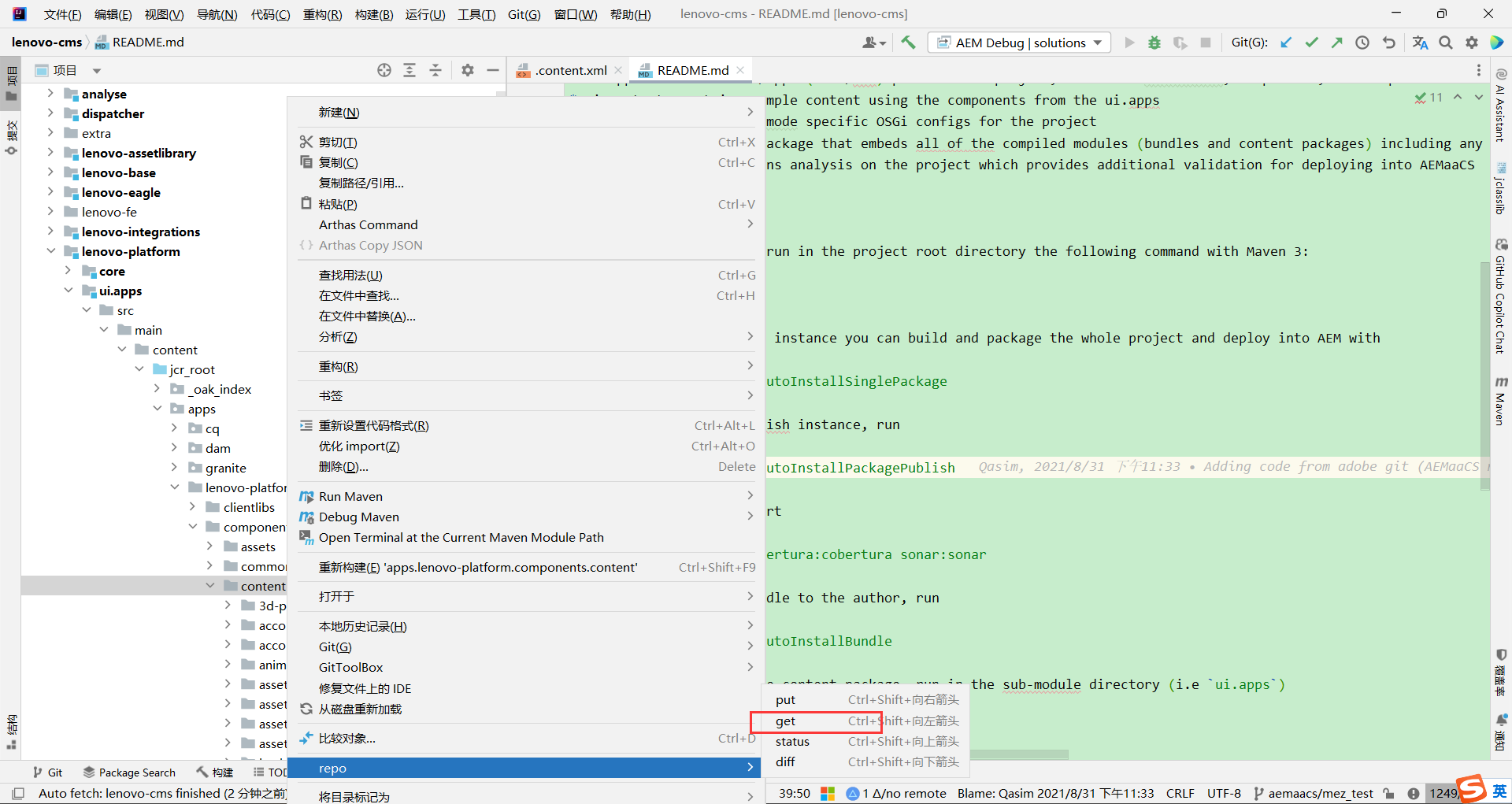
如果是本地环境创建,则可以通过repo的get拉入到代码中:
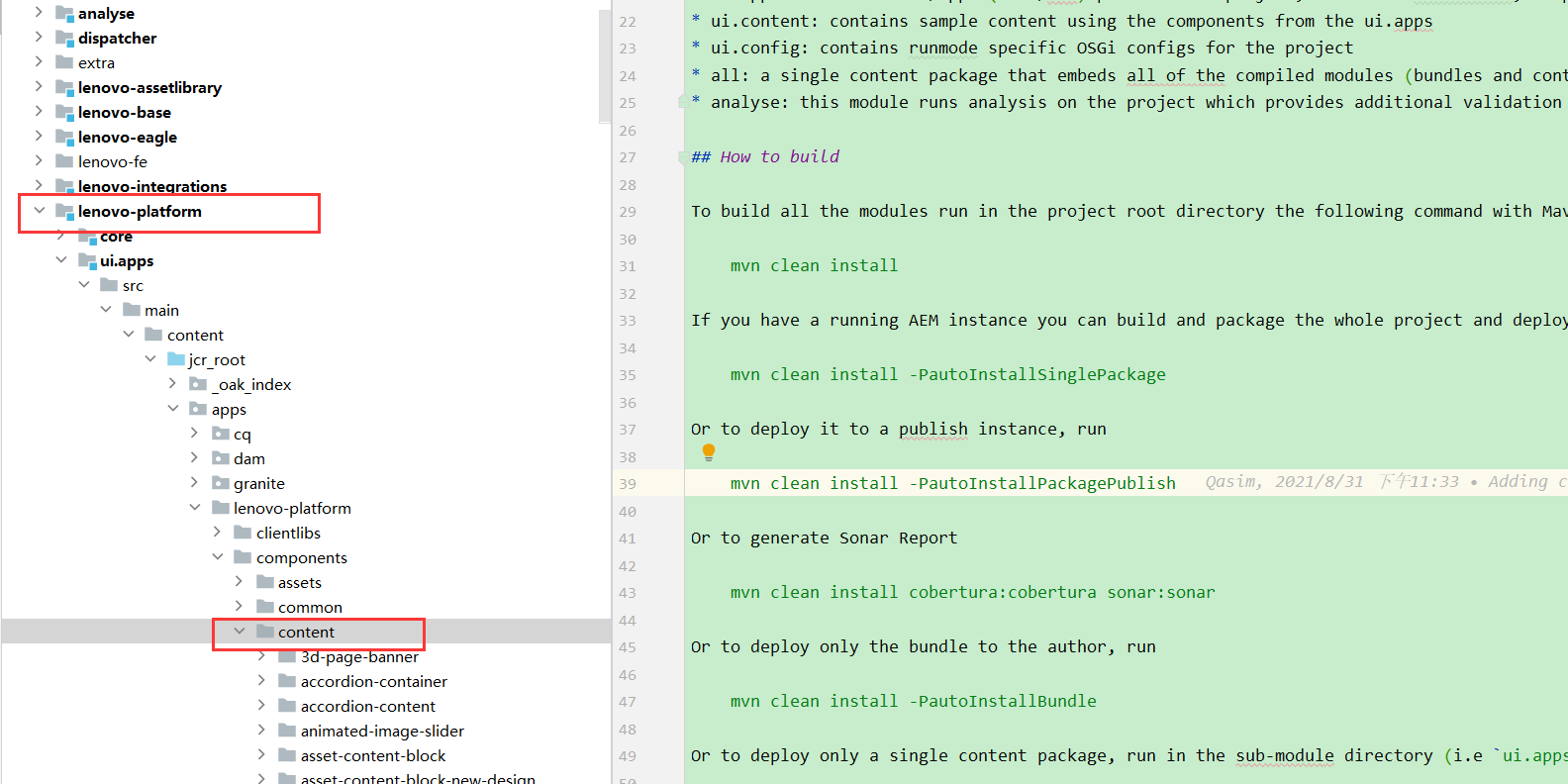
右击,选择get指令
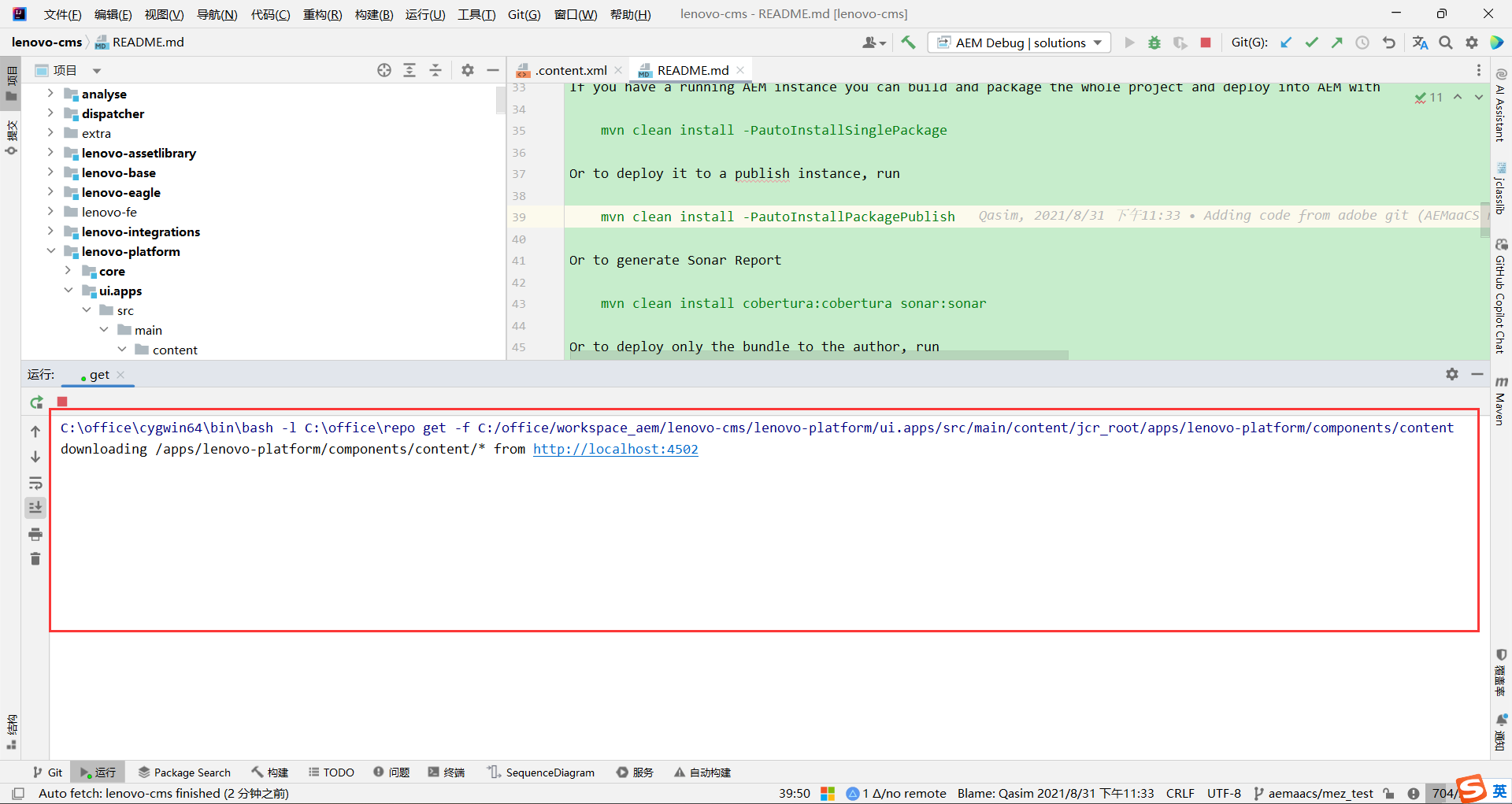
此时会提示从localhost环境的对应目录下拉取内容:
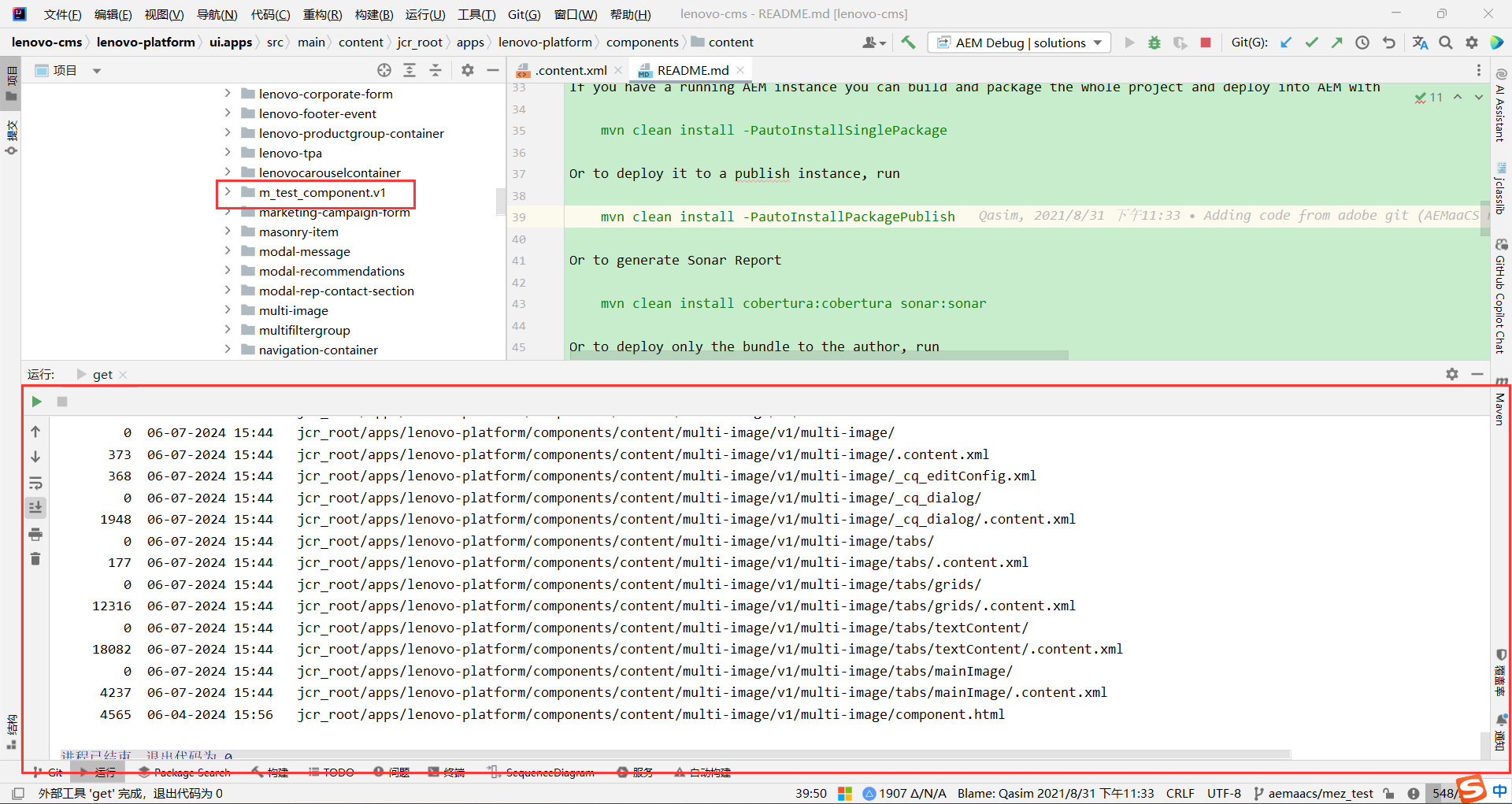
执行完毕后,会看到刚才添加的组件已经拉取下来:
这里可能会遇到很多组件拉下来把本地的覆盖了,所以建议拉取的时候要小心,最好是把目录控制在一个较小的范围,如单个组件。
2、本地IDE创建组件
2.1 通过代码创建
IDE导入项目后,进入如下路径:lenovo-platform/ui.apps/src/main/content/jcr_root/apps/lenovo-platform/components/content
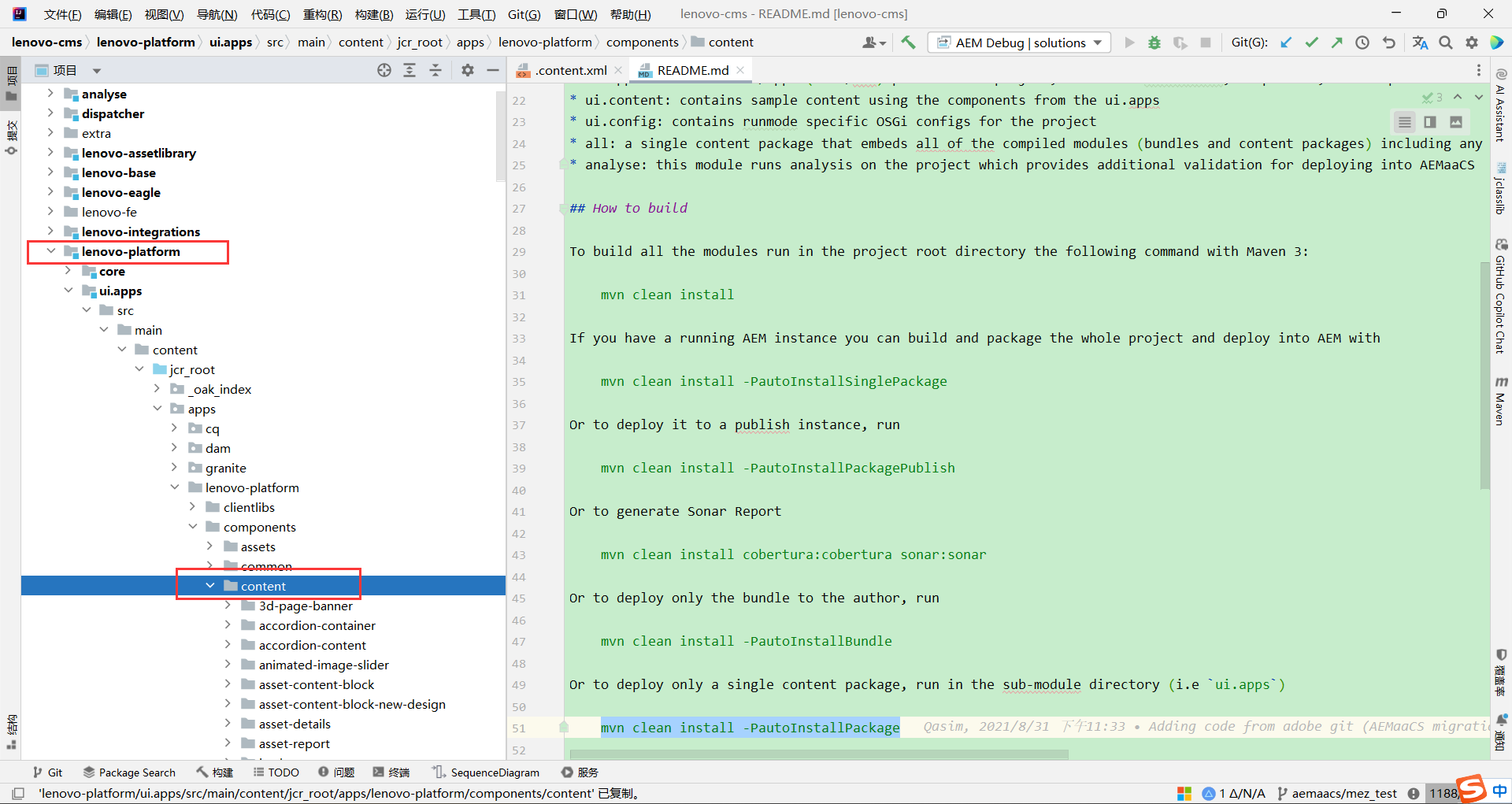
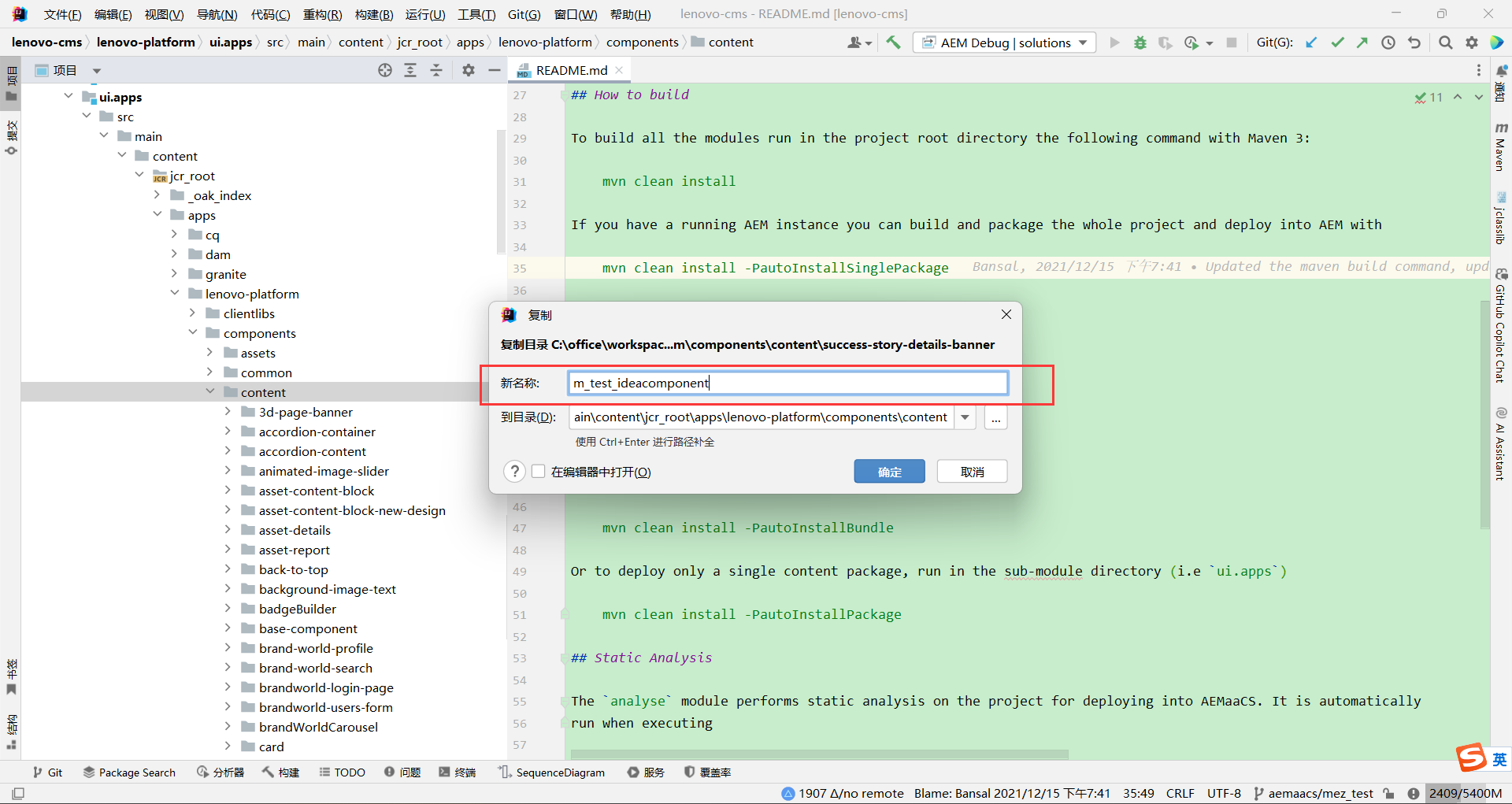
首先创建个目录,名称就为组件名,或者可以直接Copy现有组件目录,然后改名:
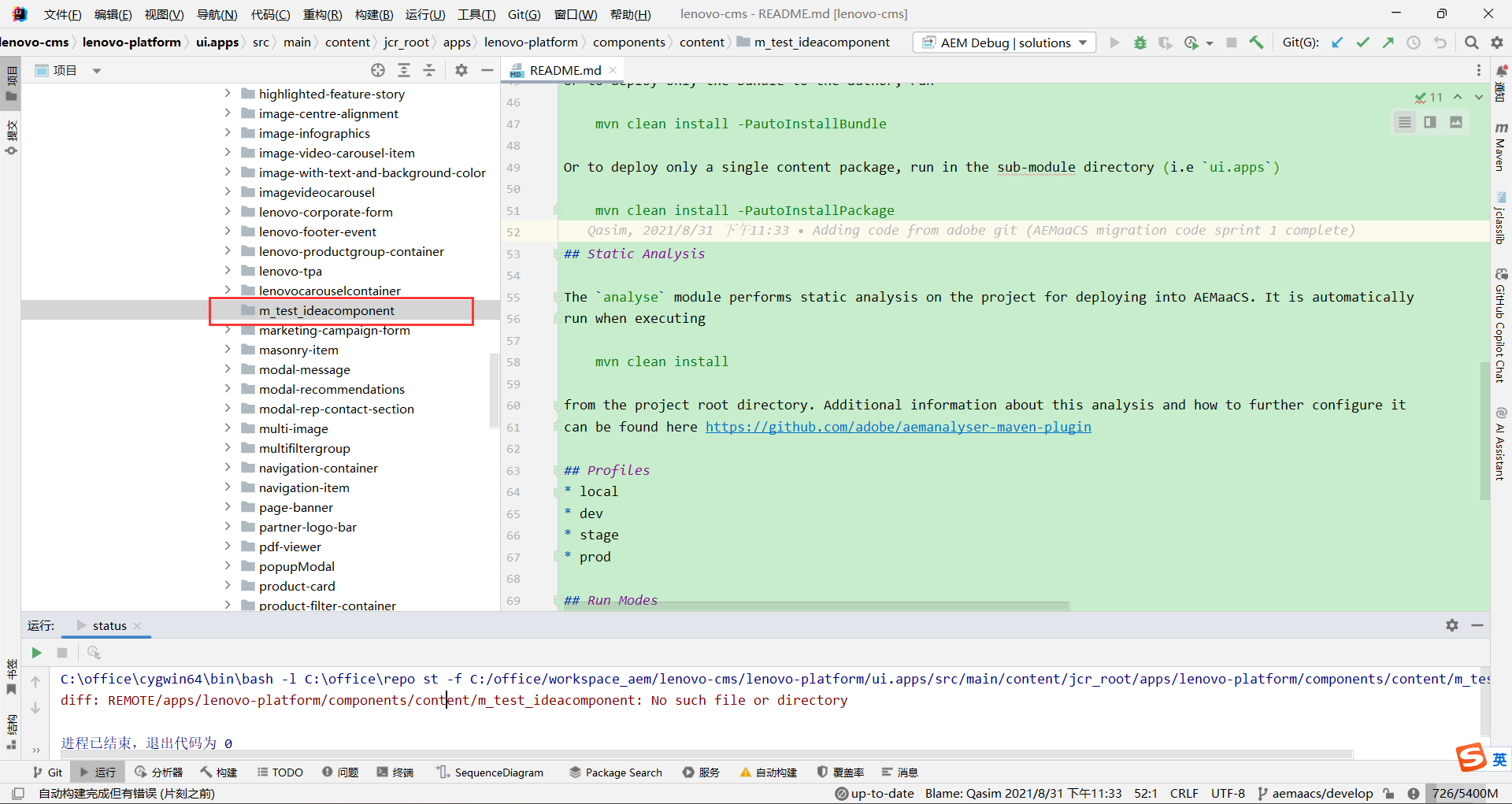
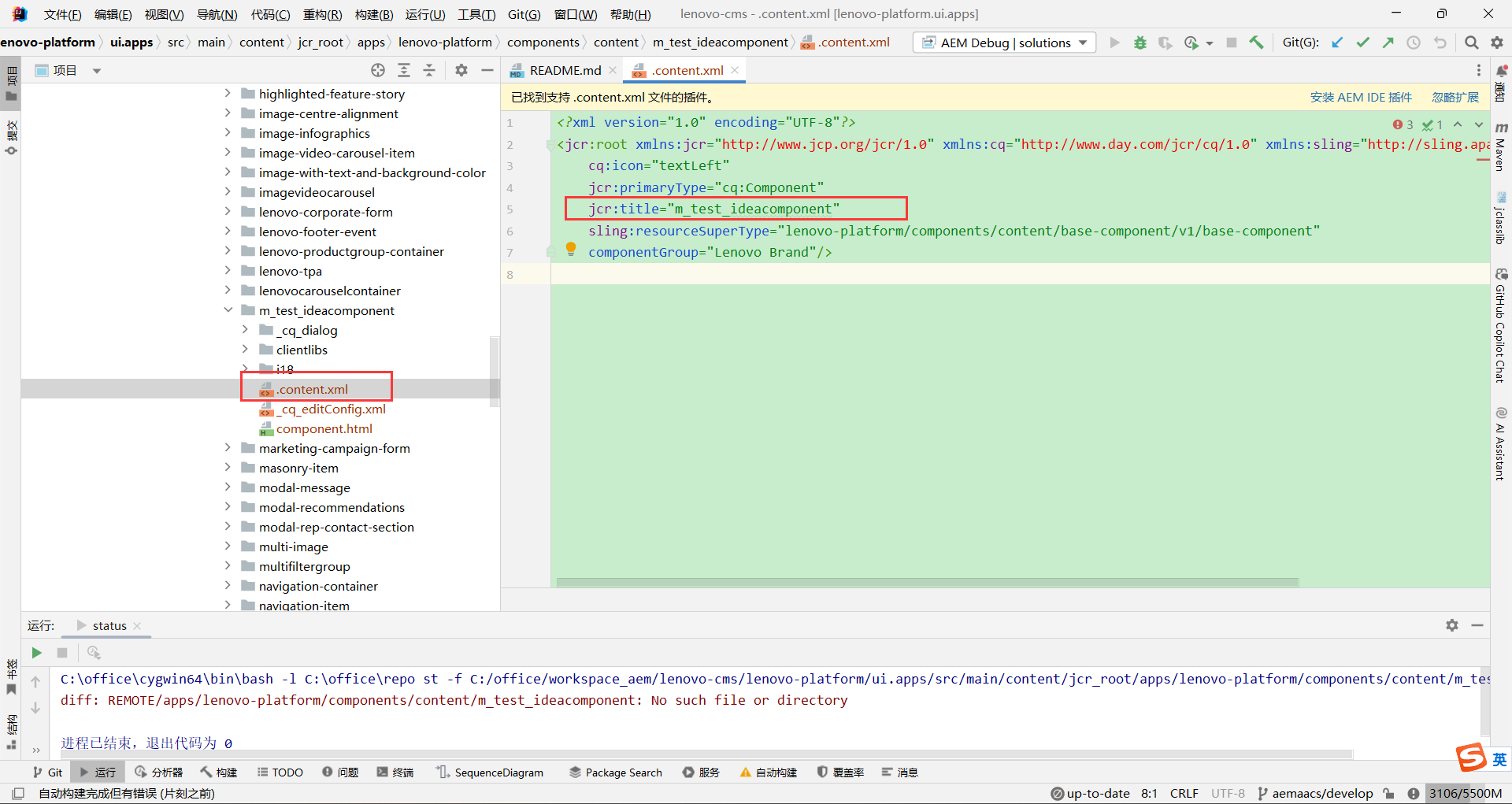
修改组件名称:
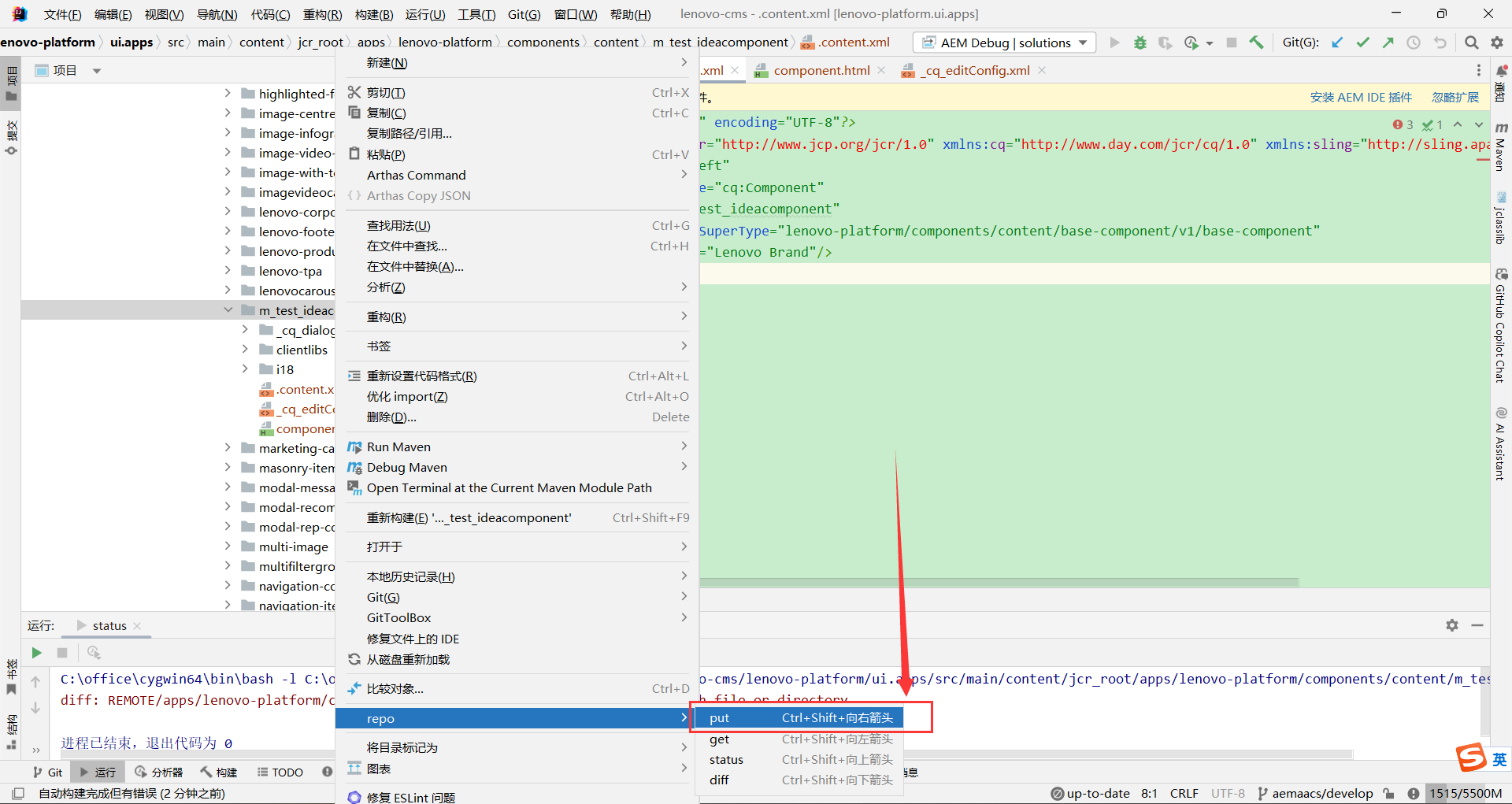
2.2 本地推送至local环境
同步到环境:
执行完毕:
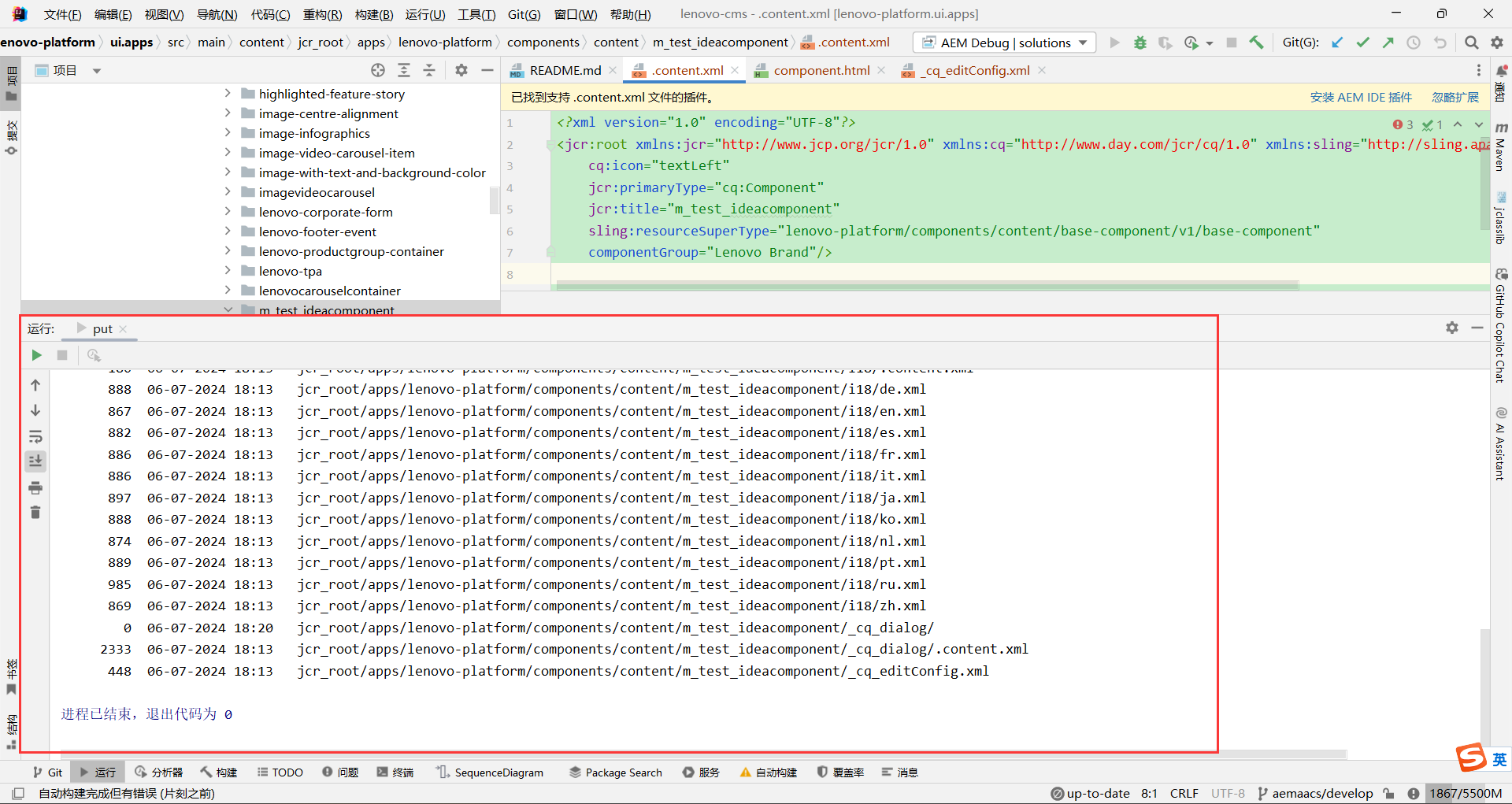
可以看到已经推送到了本地AEM环境:
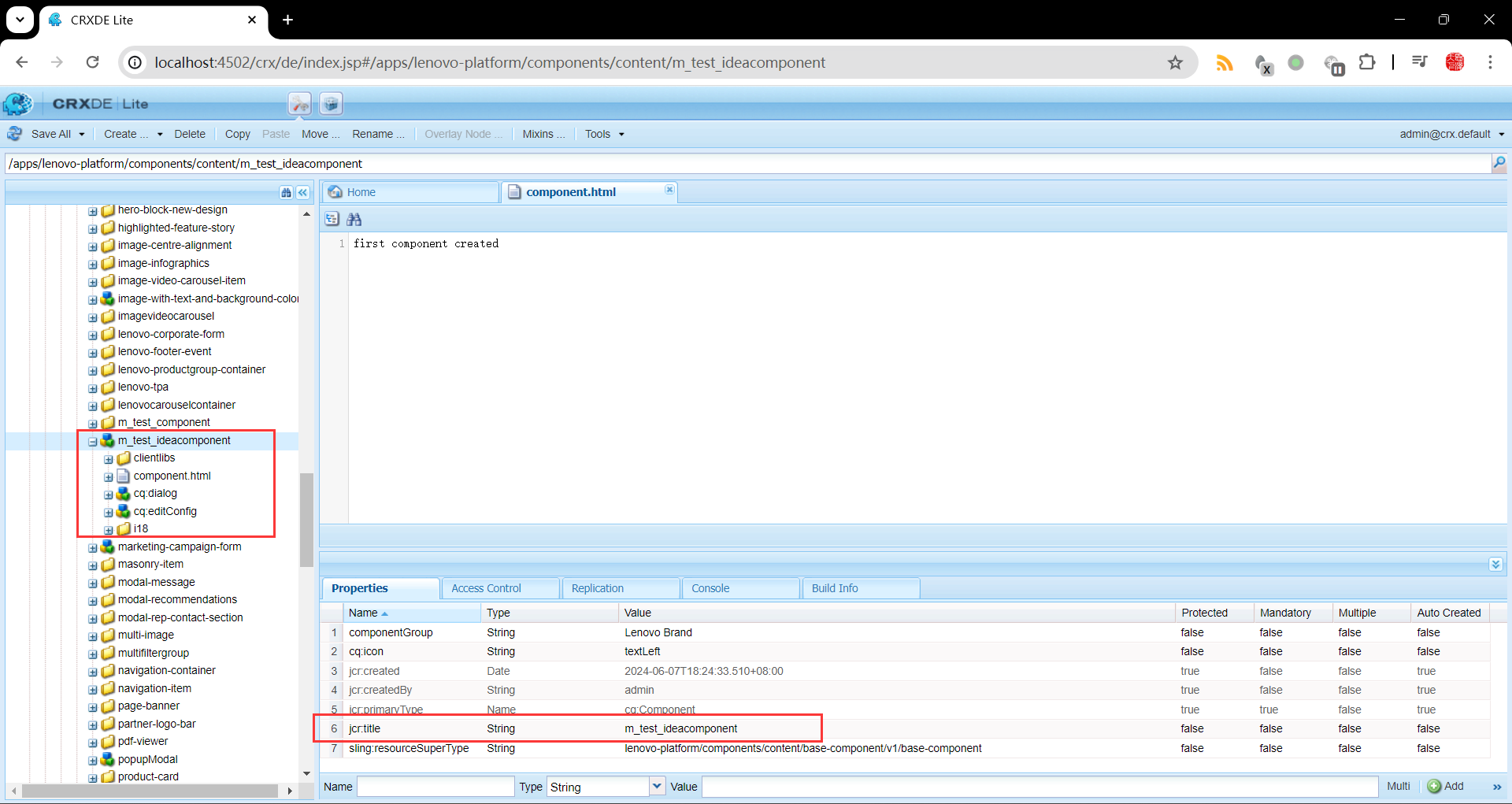
3、组件结构
3.1 目录文件结构
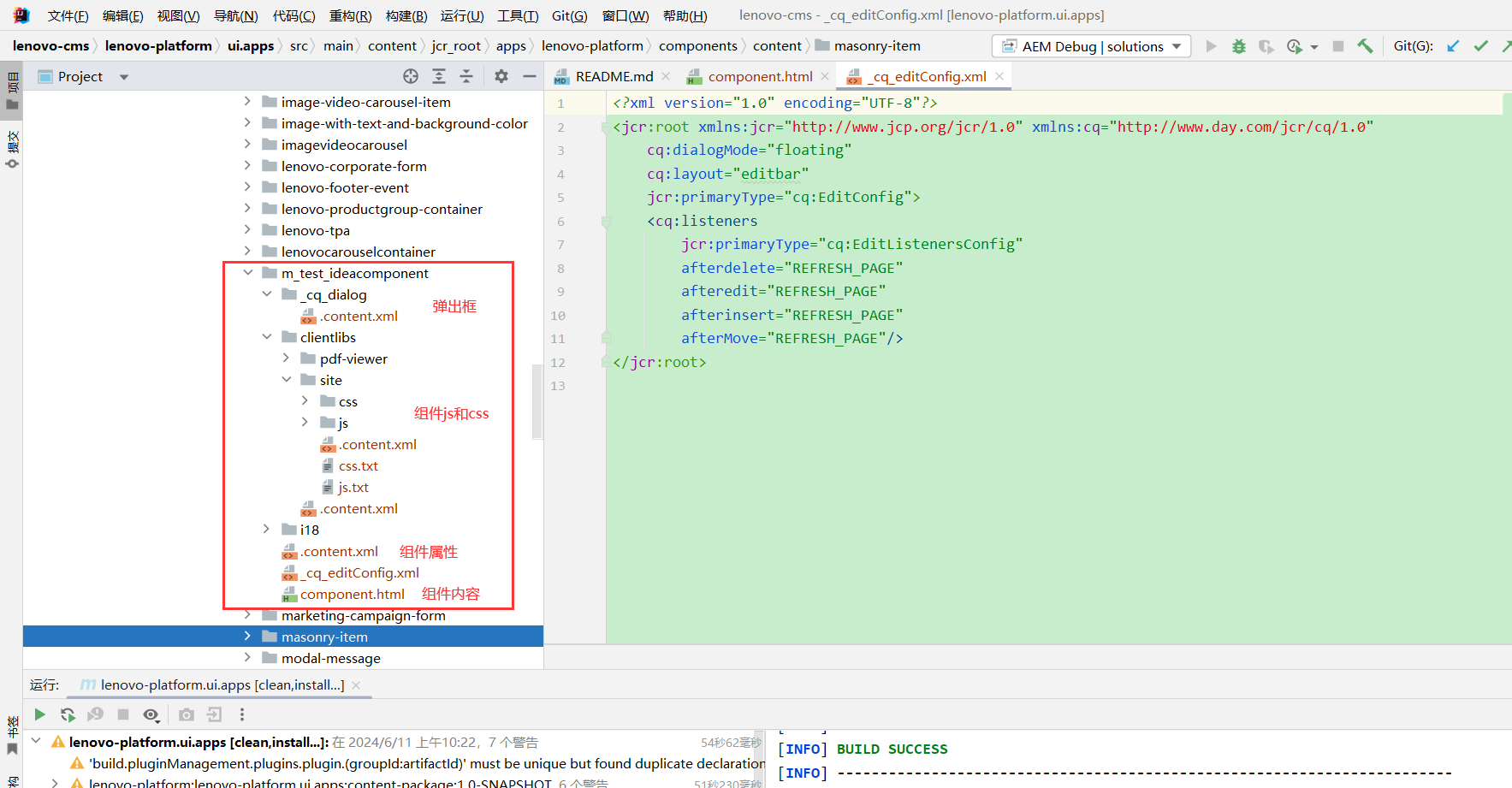
| 名称 | 类型 | 功能 |
|---|---|---|
| _cq_dialog | 目录 | 为对话框目录,双击组件后弹出的对话框,可在页面输入组件内容 |
| clientlib | 目录 | 为组件所需js和css目录 |
| m_test_ideacomponent\.content.xml | 文件 | 为组件配置信息 |
| m_test_ideacomponent\component. html | 文件 | 为组件显示内容 |
3.2 组件内容结构
3.2.1 _cq_dialog/.content.xml
<?xml version="1.0" encoding="UTF-8"?>
<jcr:root xmlns:sling="http://sling.apache.org/jcr/sling/1.0" xmlns:granite="http://www.adobe.com/jcr/granite/1.0" xmlns:cq="http://www.day.com/jcr/cq/1.0" xmlns:jcr="http://www.jcp.org/jcr/1.0" xmlns:nt="http://www.jcp.org/jcr/nt/1.0"
          jcr:primaryType="nt:unstructured"
          jcr:title="翻译组件"
          sling:resourceType="cq/gui/components/authoring/dialog">
    <content
            jcr:primaryType="nt:unstructured"
            sling:resourceType="granite/ui/components/coral/foundation/container">
        <items jcr:primaryType="nt:unstructured">
            <tabs
                    jcr:primaryType="nt:unstructured"
                    sling:resourceType="granite/ui/components/coral/foundation/tabs"
                    maximized="{Boolean}false">
                <items jcr:primaryType="nt:unstructured">
                    <properties
                            jcr:primaryType="nt:unstructured"
                            jcr:title="Properties"
                            sling:resourceType="granite/ui/components/coral/foundation/container"
                            margin="{Boolean}true">
                        <items jcr:primaryType="nt:unstructured">
                            <columns
                                    jcr:primaryType="nt:unstructured"
                                    sling:resourceType="granite/ui/components/coral/foundation/fixedcolumns"
                                    margin="{Boolean}true">
                                <items jcr:primaryType="nt:unstructured">
                                    <column
                                            jcr:primaryType="nt:unstructured"
                                            sling:resourceType="granite/ui/components/coral/foundation/container">
                                        <items jcr:primaryType="nt:unstructured">
                                            <appId
                                                    jcr:primaryType="nt:unstructured"
                                                    sling:resourceType="granite/ui/components/coral/foundation/form/textfield"
                                                    fieldLabel="有道智云翻译APPID"
                                                    fieldDescription="有道智云翻译APPID."
                                                    emptyText="请输入有道智云翻译APPID"
                                                    name="./appId"
                                                    required="{Boolean}true"/>
                                            <appKey
                                                    jcr:primaryType="nt:unstructured"
                                                    sling:resourceType="granite/ui/components/coral/foundation/form/textfield"
                                                    fieldLabel="有道智云翻译APP密钥"
                                                    fieldDescription="有道智云翻译APP密钥."
                                                    emptyText="请输入有道智云翻译APP密钥"
                                                    name="./appKey"
                                                    required="{Boolean}true"/>
                                        </items>
                                    </column>
                                </items>
                            </columns>
                        </items>
                    </properties>
                </items>
            </tabs>
        </items>
    </content>
</jcr:root>
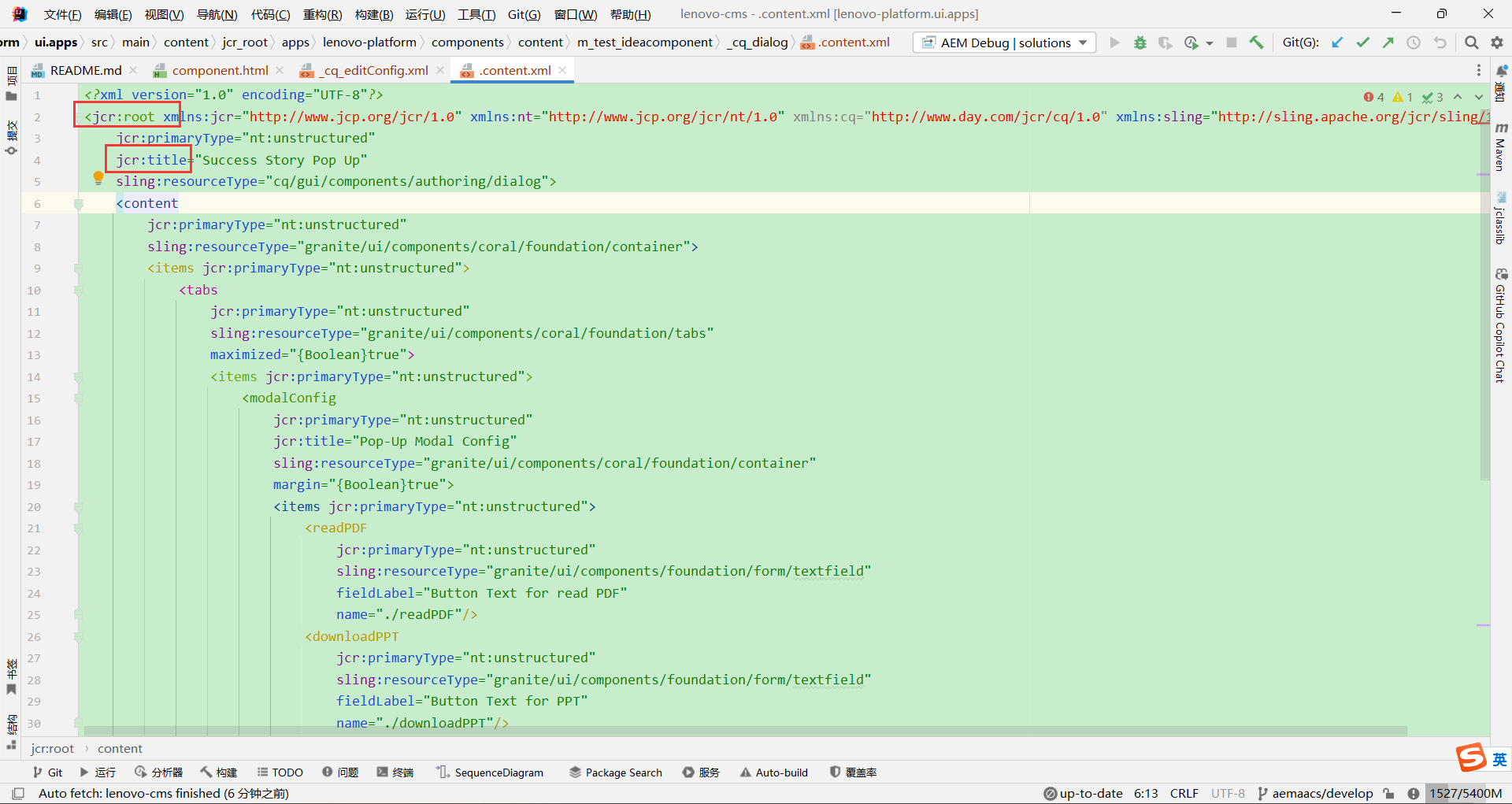
| 名称 | 说明 |
|---|---|
jcr:root | 标签为结构标签也是根标签,content、items、tabs都为结构标签 |
jcr:title | 为组件名称 |
| sling:resourceType | 为组件类型,AEM提供了丰富的基础组件类型可供使用 |
3.2.2 m_test_ideacomponent/.content.xml
<?xml version="1.0" encoding="UTF-8"?>
<jcr:root xmlns:jcr="http://www.jcp.org/jcr/1.0" xmlns:cq="http://www.day.com/jcr/cq/1.0" xmlns:sling="http://sling.apache.org/jcr/sling/1.0"
    cq:icon="textLeft"
    jcr:primaryType="cq:Component"
    jcr:title="m_test_ideacomponent"
    jcr:description="有道翻译组件"
    sling:resourceSuperType="lenovo-platform/components/content/base-component/v1/base-component"
    componentGroup="Lenovo M_Test Brand"/>
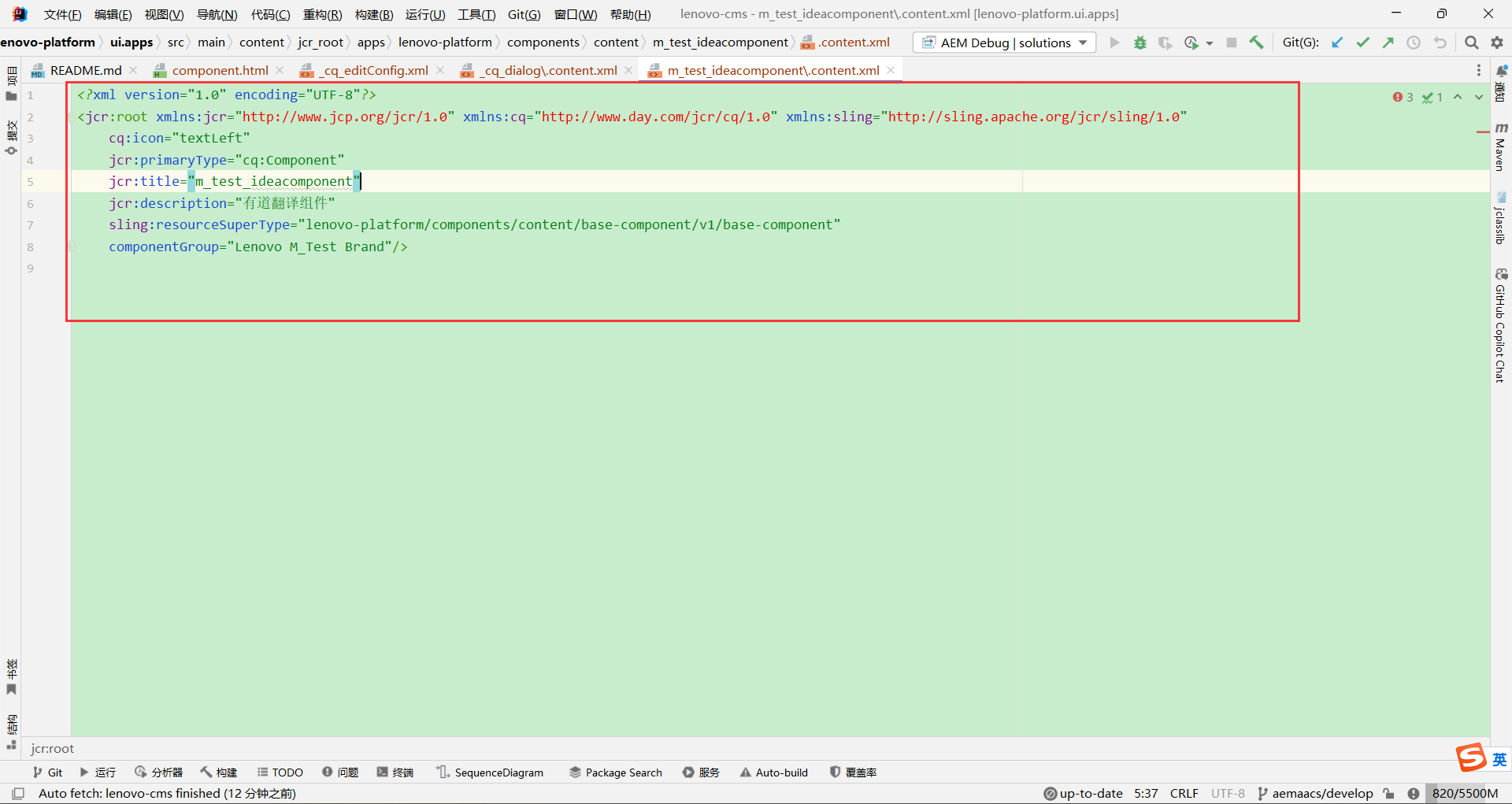
| 名称 | 说明 |
|---|---|
jcr:title | 组件名称 |
| jcr:primaryType | 配置类型,cq:Component表示组件 |
componentGroup | 组件所属组名,在模板和页面中可以通过组名进行快速搜索和关联组件 |
| sling:resourceSuperType | 在当前系统中保持默认为base-component |
3.2.3 js和css
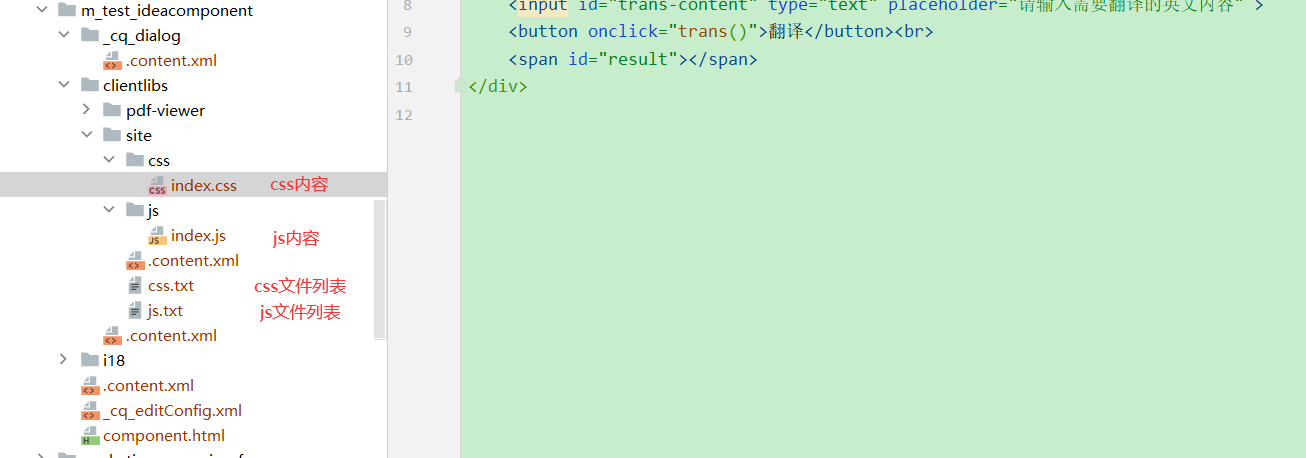
前端库文件clientlibs/site/.content.xml:
<?xml version="1.0" encoding="UTF-8"?>
<jcr:root xmlns:jcr="http://www.jcp.org/jcr/1.0" xmlns:cq="http://www.day.com/jcr/cq/1.0"
    jcr:primaryType="cq:ClientLibraryFolder"
    allowProxy="{Boolean}true"
    categories="[lenovo.platform.m_test_ideacomponent]"/>
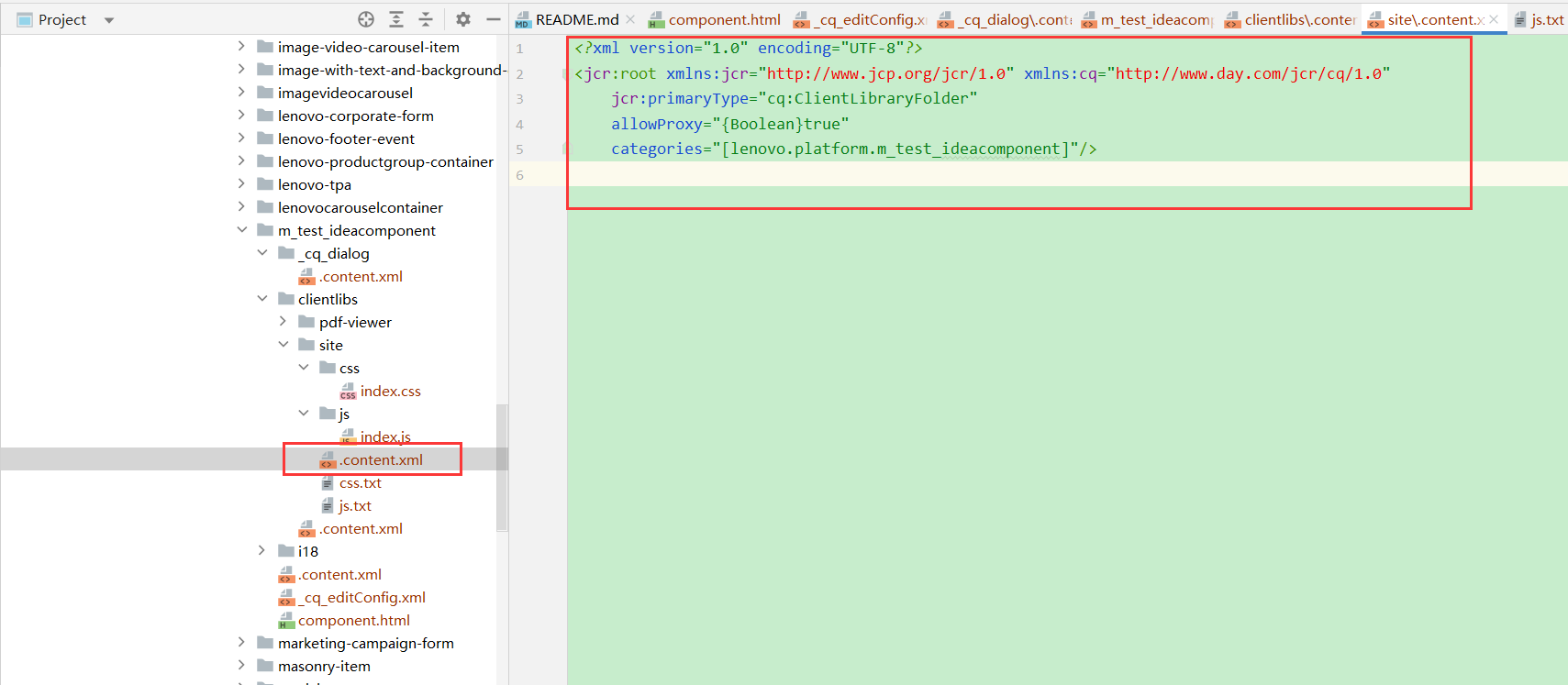
| 名称 | 说明 |
|---|---|
categories | lenovo.platform.m_test_ideacomponent是为前端库起的名字,在HTML中会使用到 |
js内容clientlibs/site/js/index.js:
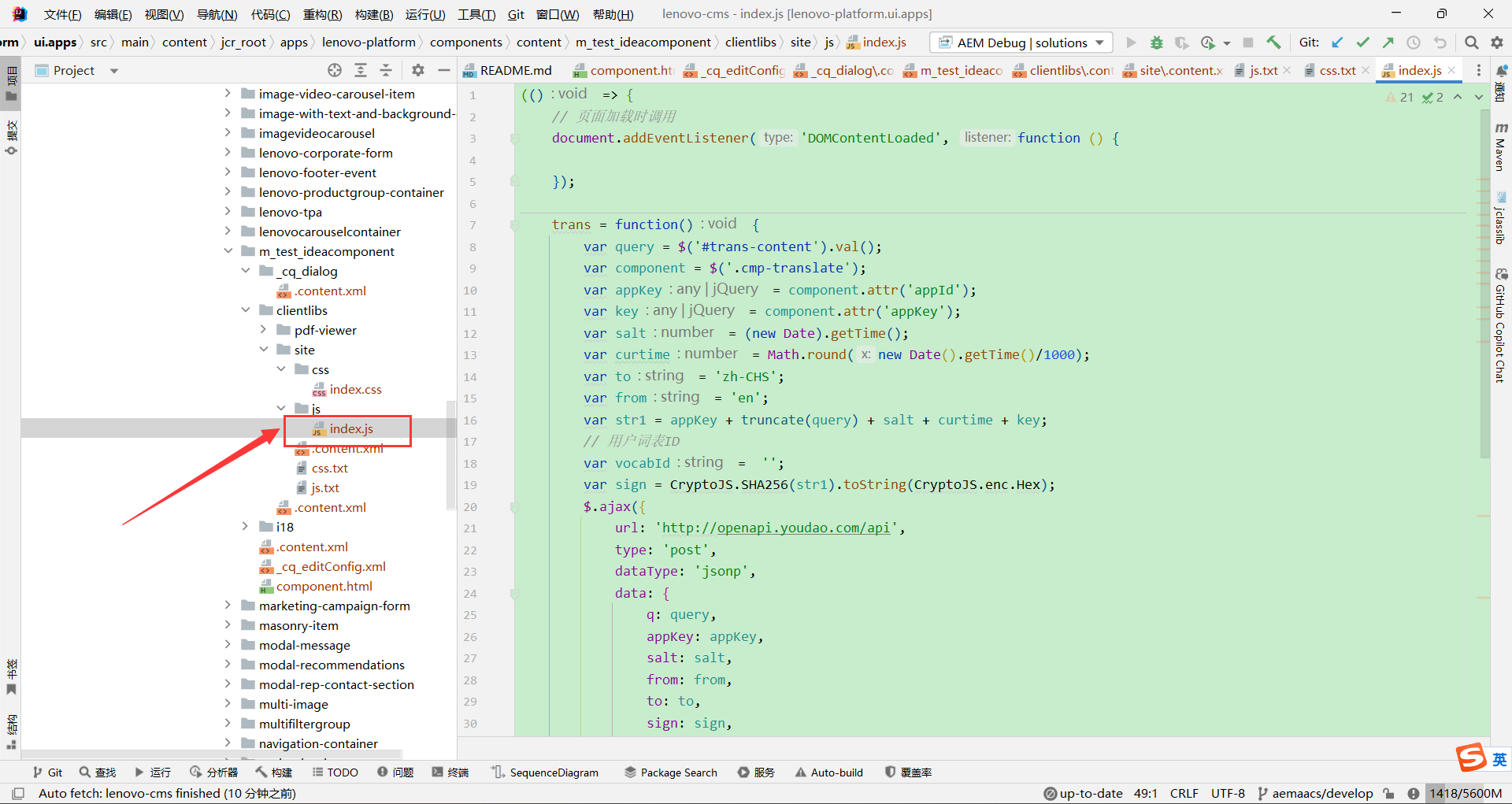
css内容clientlibs/site/css/index.js:
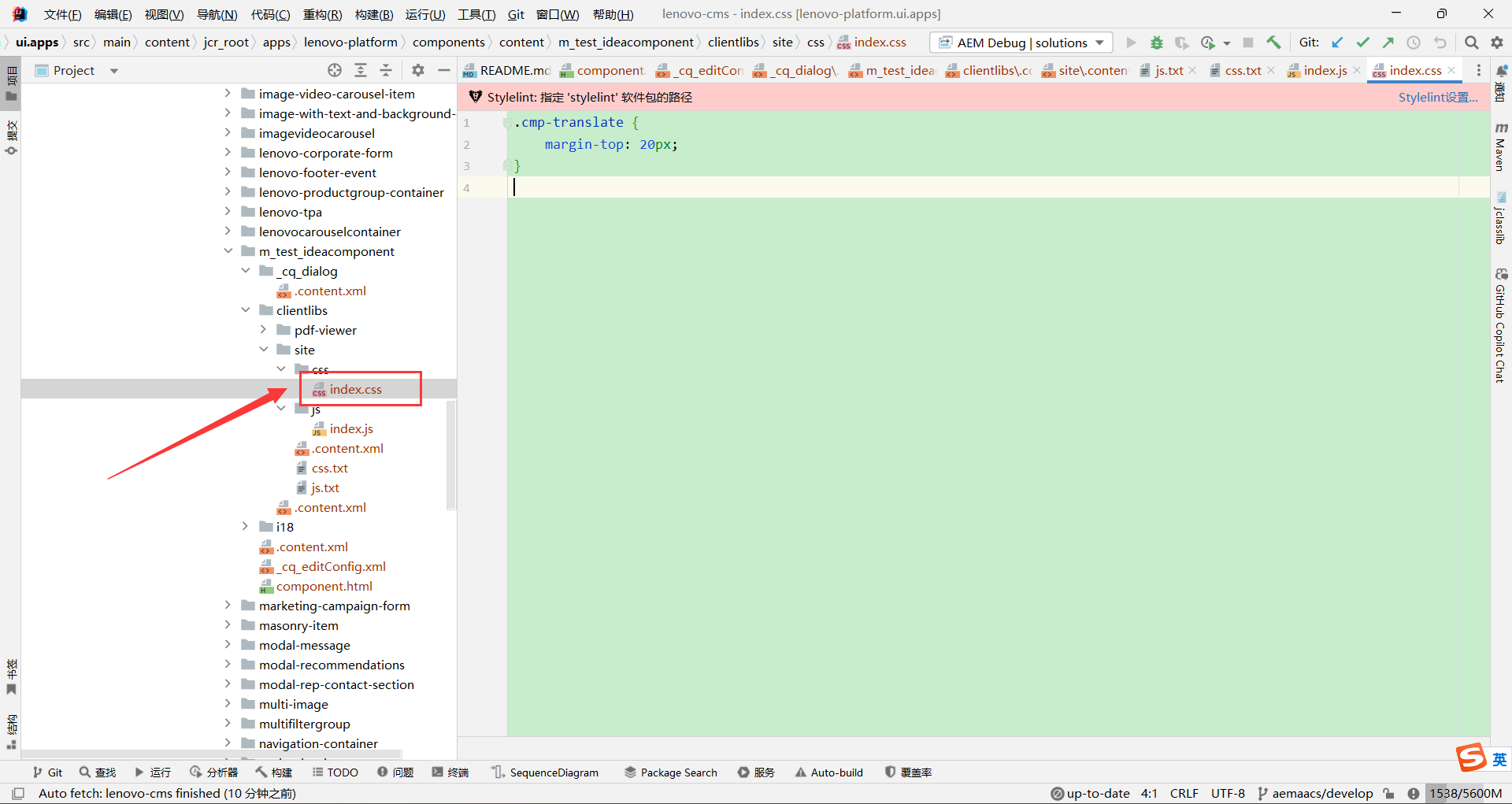
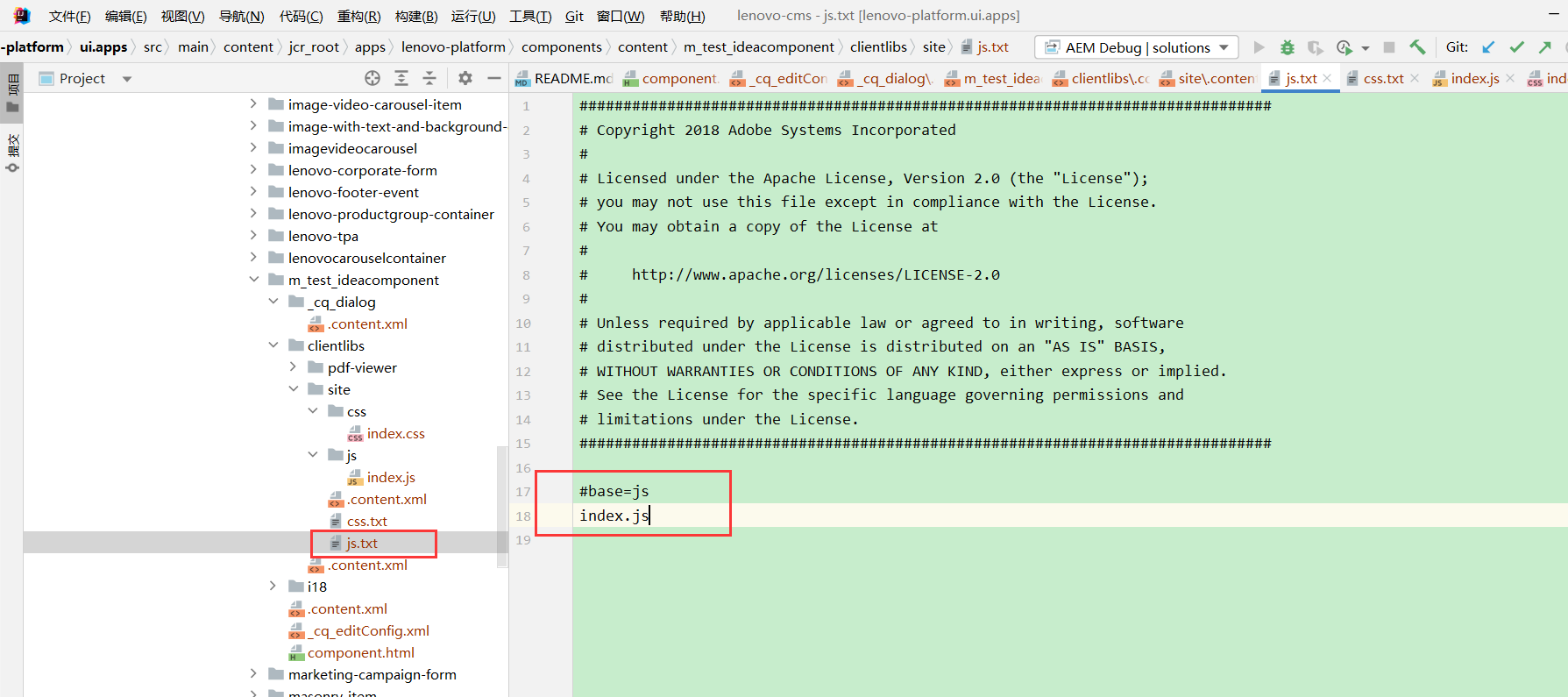
js文件列表clientlibs/site/js.txt:
###############################################################################
# Copyright 2018 Adobe Systems Incorporated
#
# Licensed under the Apache License, Version 2.0 (the "License");
# you may not use this file except in compliance with the License.
# You may obtain a copy of the License at
#
#     http://www.apache.org/licenses/LICENSE-2.0
#
# Unless required by applicable law or agreed to in writing, software
# distributed under the License is distributed on an "AS IS" BASIS,
# WITHOUT WARRANTIES OR CONDITIONS OF ANY KIND, either express or implied.
# See the License for the specific language governing permissions and
# limitations under the License.
###############################################################################

#base=js
index.js
17行固定写法,然后下面把用到的js文件名都列出来:
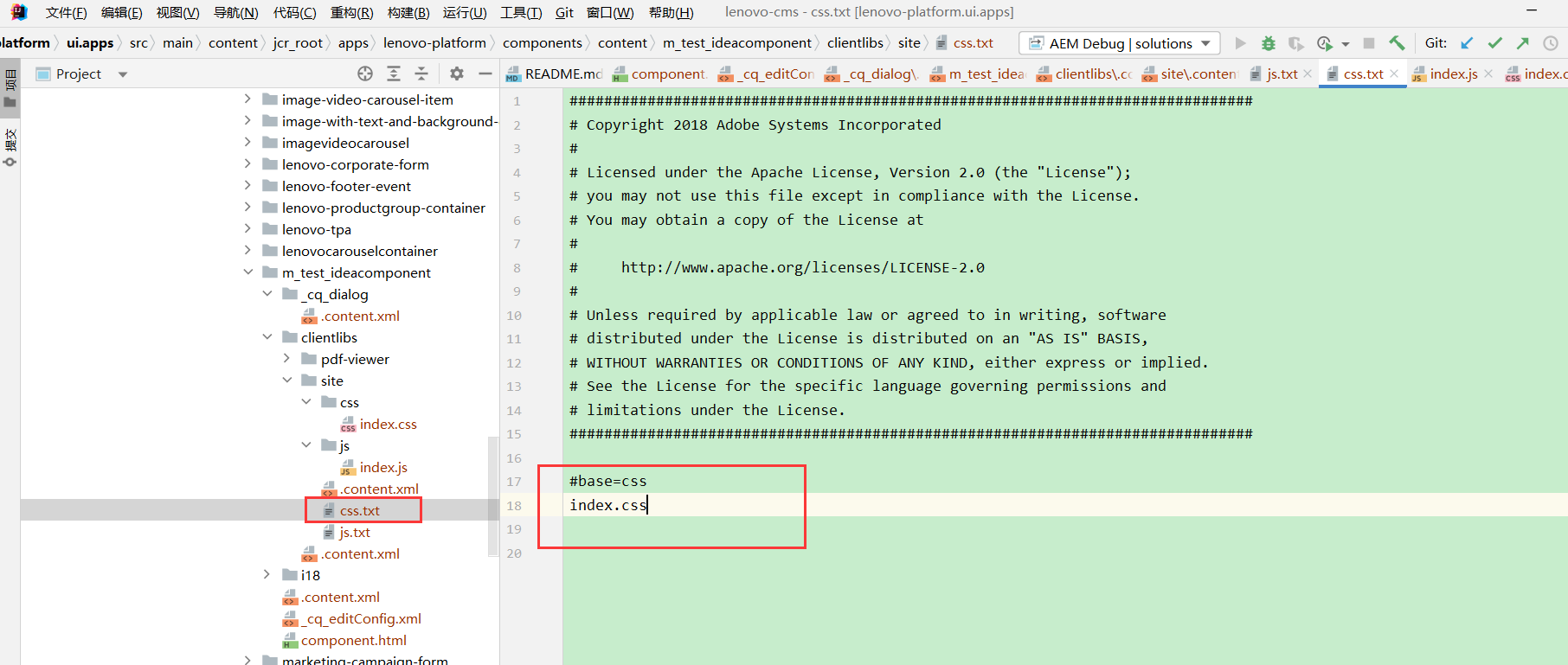
css文件列表clientlibs/site/css.txt:
###############################################################################
# Copyright 2018 Adobe Systems Incorporated
#
# Licensed under the Apache License, Version 2.0 (the "License");
# you may not use this file except in compliance with the License.
# You may obtain a copy of the License at
#
#     http://www.apache.org/licenses/LICENSE-2.0
#
# Unless required by applicable law or agreed to in writing, software
# distributed under the License is distributed on an "AS IS" BASIS,
# WITHOUT WARRANTIES OR CONDITIONS OF ANY KIND, either express or implied.
# See the License for the specific language governing permissions and
# limitations under the License.
###############################################################################

#base=css
index.css
17行固定写法,然后下面把用到的css文件名都列出来:
3.2.4 组件内容m_test_ideacomponent\component.html:
<div class="cq-placeholder cmp-title" data-emptytext="${component.title}:Click to configure" data-sly-unwrap="${!wcmmode.edit}"></div>
<script src="https://cdnjs.cloudflare.com/ajax/libs/jquery/3.5.1/jquery.min.js"></script>
<script src="https://cdn.bootcdn.net/ajax/libs/crypto-js/4.0.0/crypto-js.js"></script>

<sly data-sly-use.clientLib="${'/libs/granite/sightly/templates/clientlib.html'}"/>
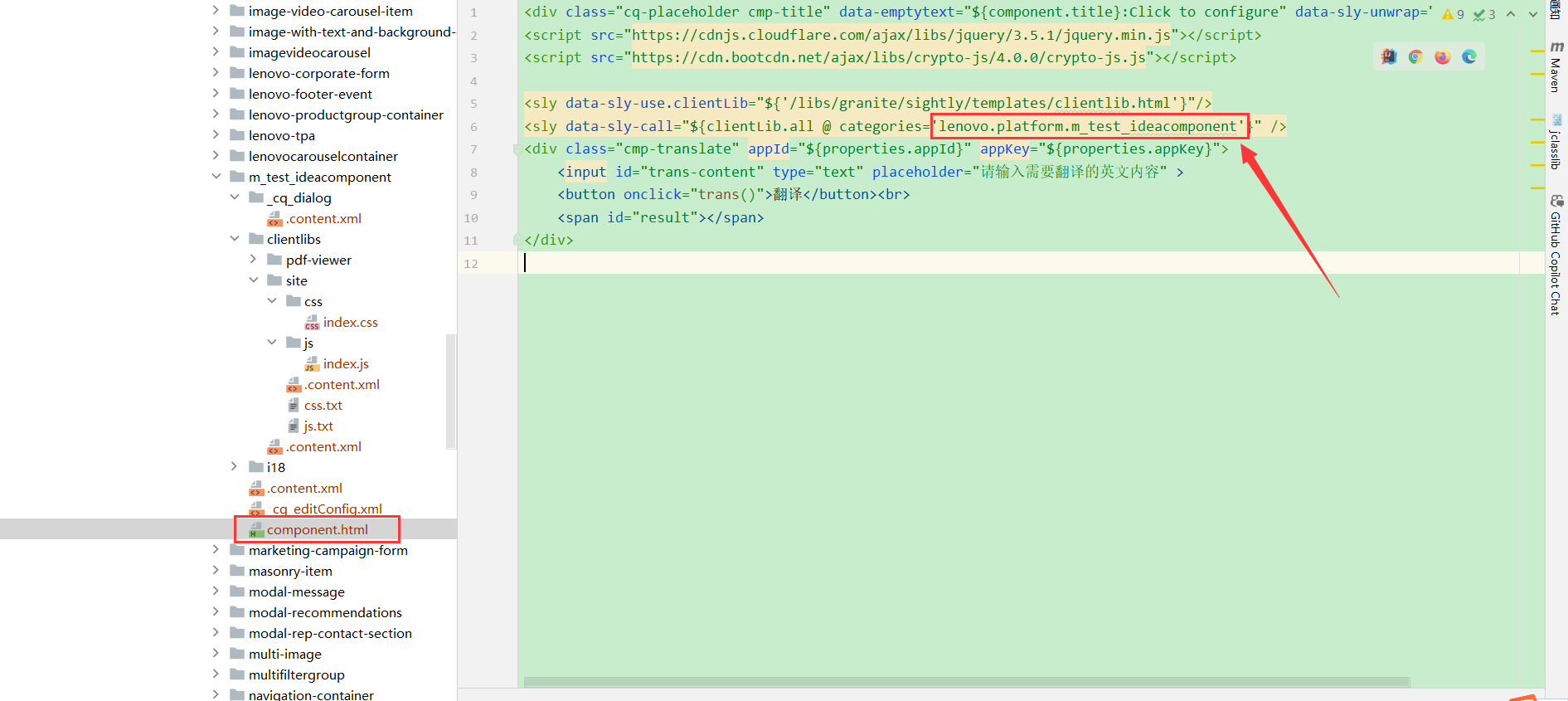
<sly data-sly-call="${clientLib.all @ categories='lenovo.platform.m_test_ideacomponent'}" />
<div class="cmp-translate" appId="${properties.appId}" appKey="${properties.appKey}">
    <input id="trans-content" type="text" placeholder="请输入需要翻译的英文内容" >
    <button onclick="trans()">翻译</button><br>
    <span id="result"></span>
</div>
categories这里要指定刚才在clientlibs/site/.content.xml文件中指定的categories:
| 名称 | 说明 |
|---|---|
| sly | sly标签为HTL使用的标签 |
| ${} | ${}可以访问到JCR中的数据,component、properties为HTL中可直接访问的Java对象 |
data-sly-unwrap="${!wcmmode.edit}" | 表示在非编辑模式下不显示此行信息,意思就是如果我们是在编辑模式下查看组件显示内容,会显示"{component.title}:Click to configure"这句话,否则不显示 |
data-sly-use.clientLib | 固定写法 |
data-sly-cal | 可以使用clientLib.all、clientLib.js、clientLib.cs:
|
4、使用组件
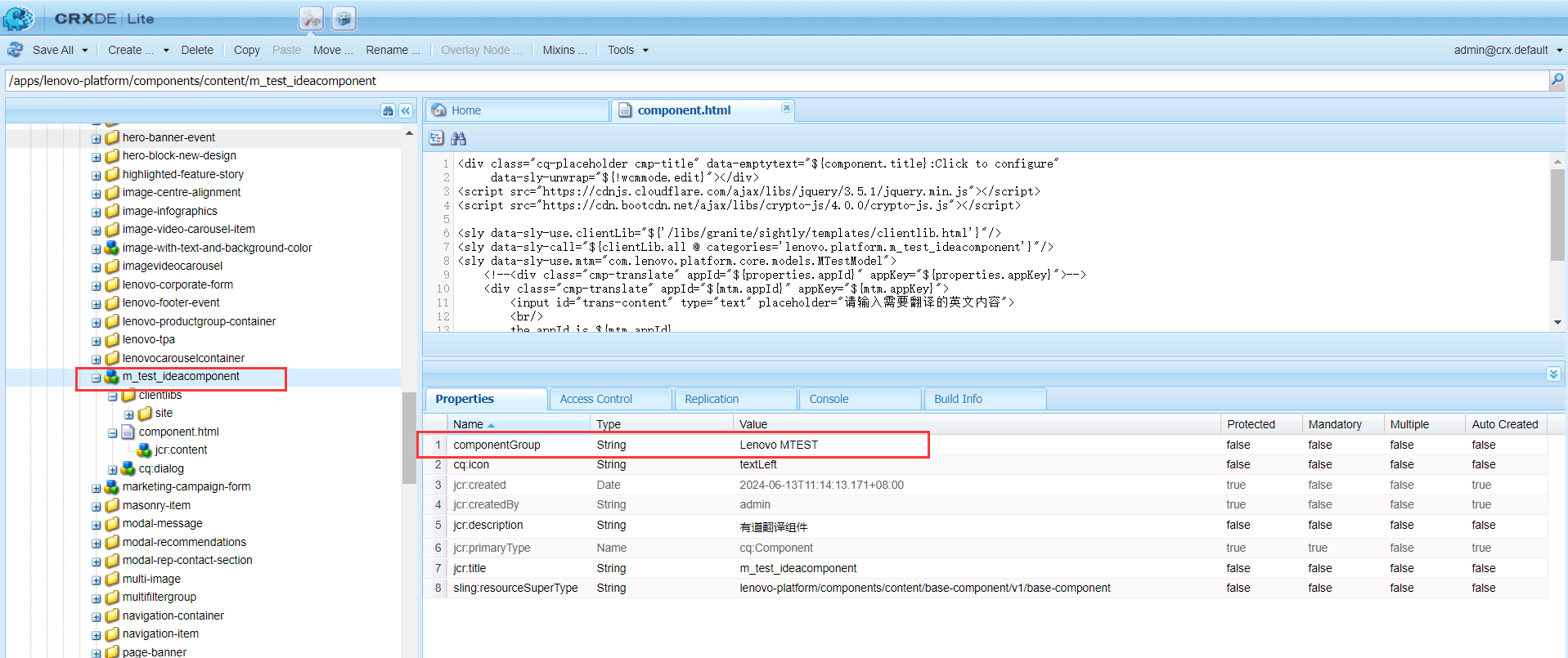
找到组件的componentGroup:
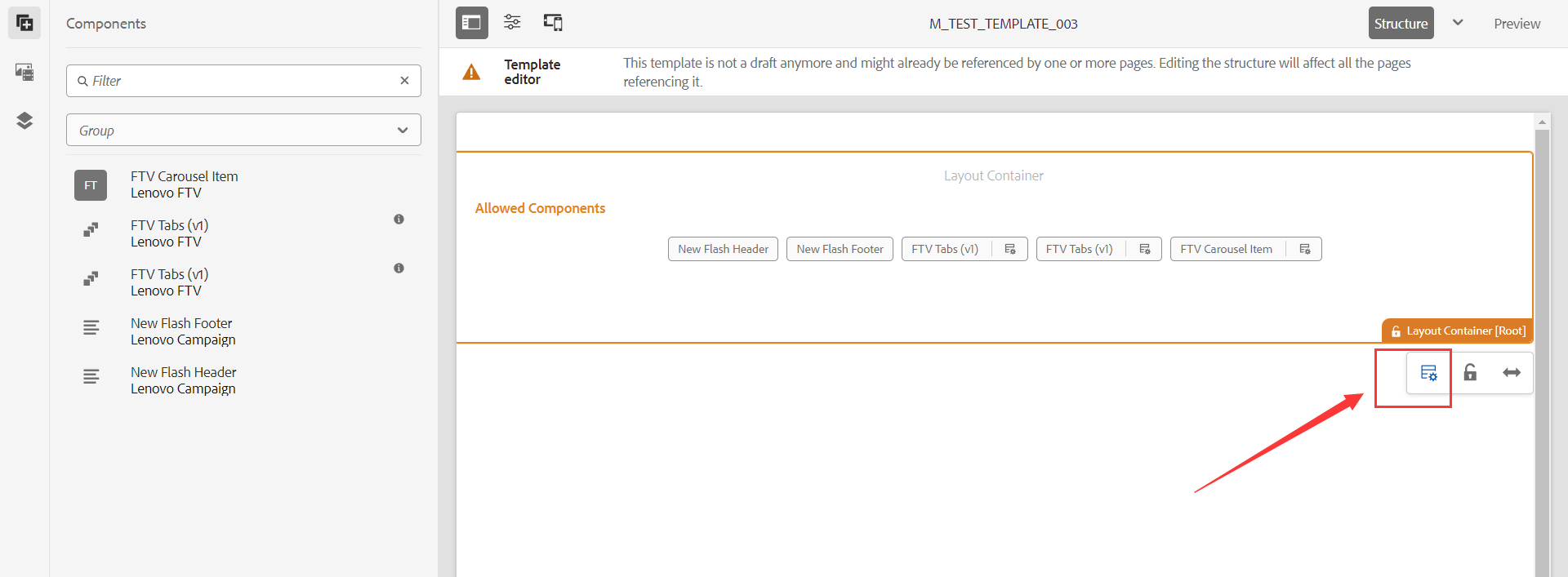
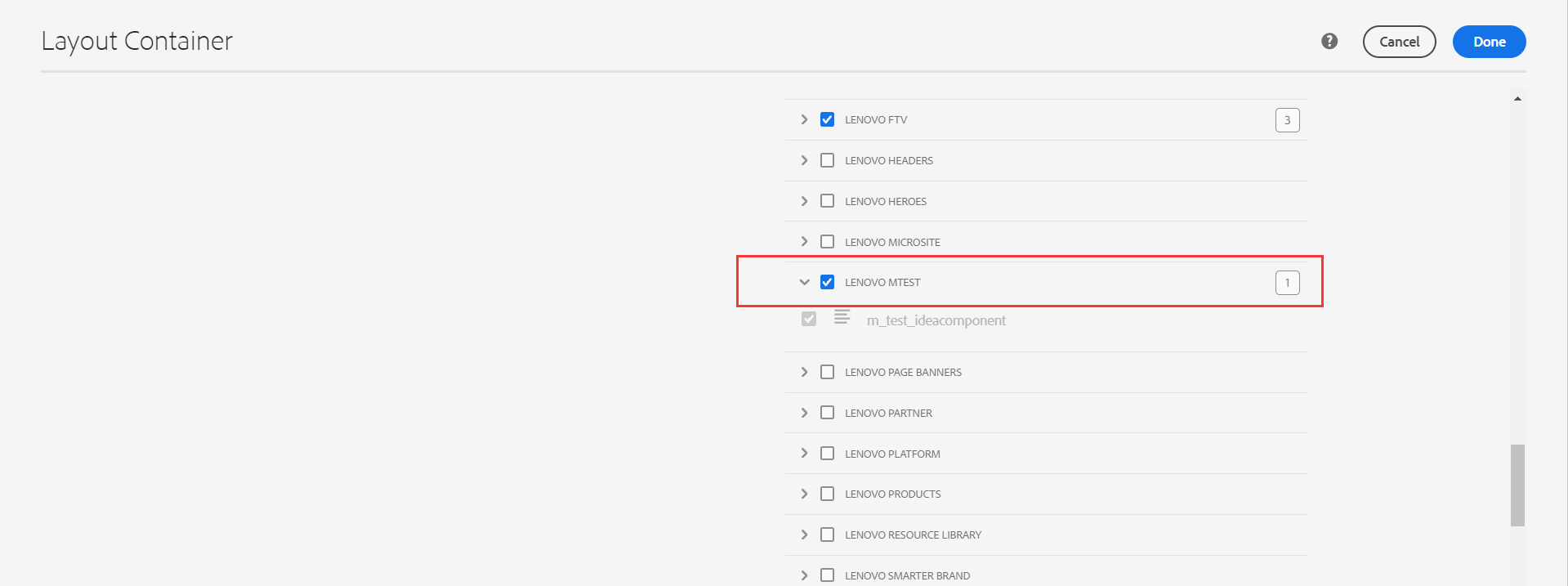
在模板的Root Container策略中找到该Group,并勾选:
保存后,在模板上就能看到了:
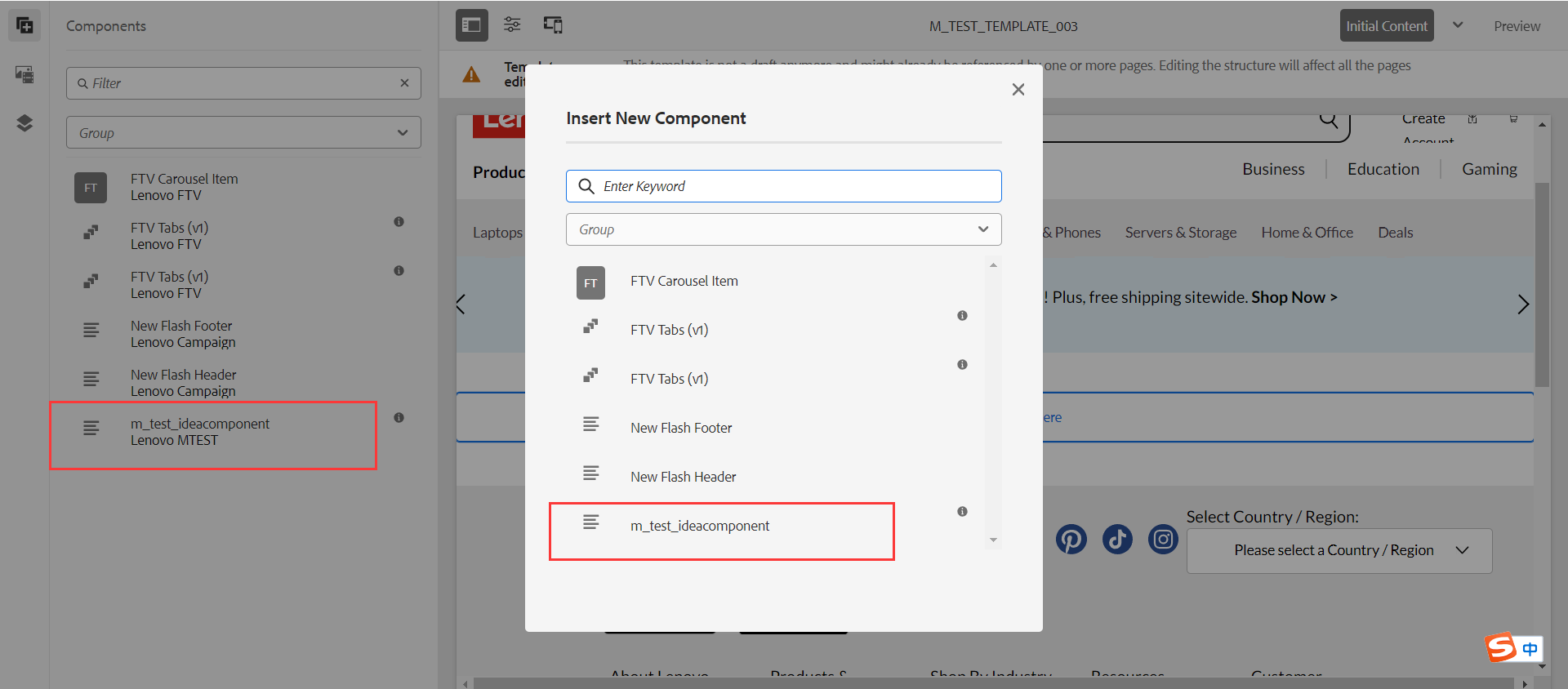
在使用该模板的页面上也能够使用该组件:
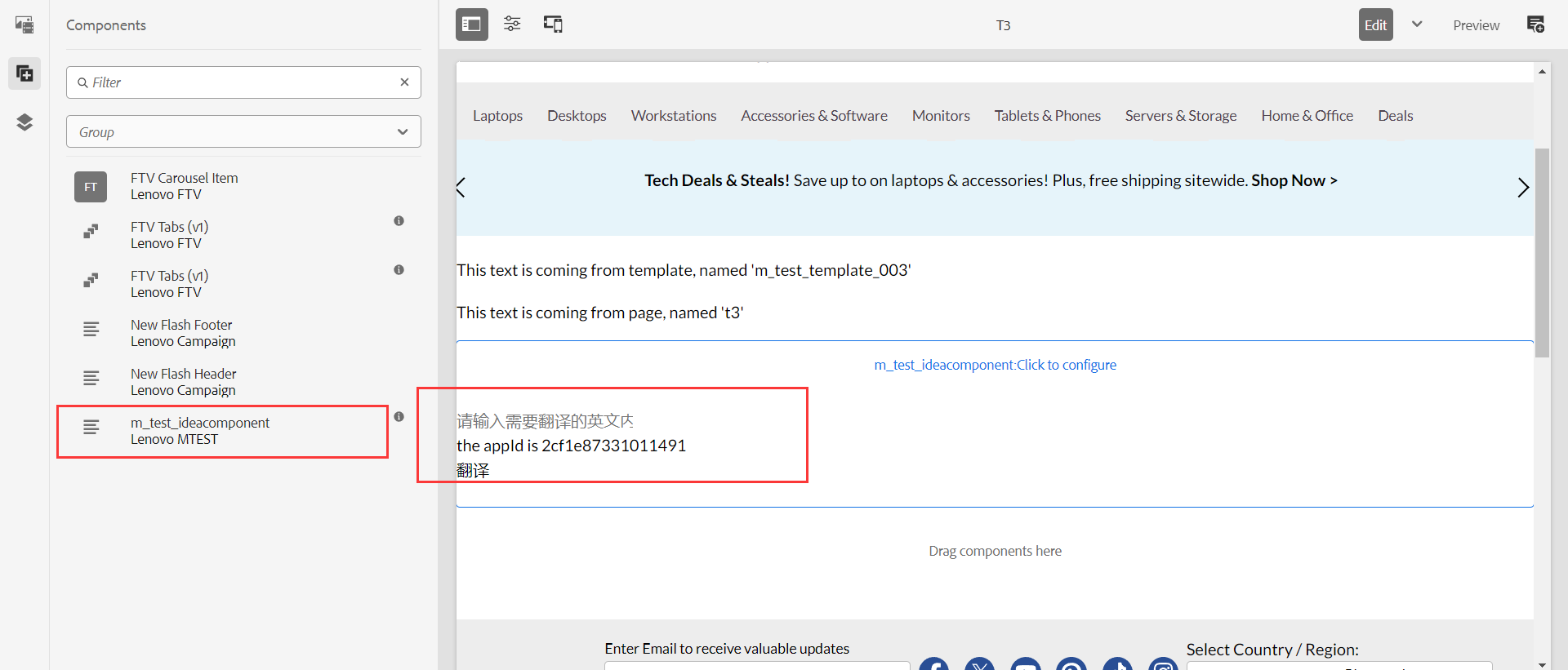
5、组件部署
5.1 通过pipeline迁移
本地提交完代码,需要将代码分支合并到对应环境的分支,然后在experience management通过adobe的合并分支后进行pipeline部署。
5.2 组件打包迁移(环境可能没权限导入包)
首先使用repo的put指令将组件推到本地环境:
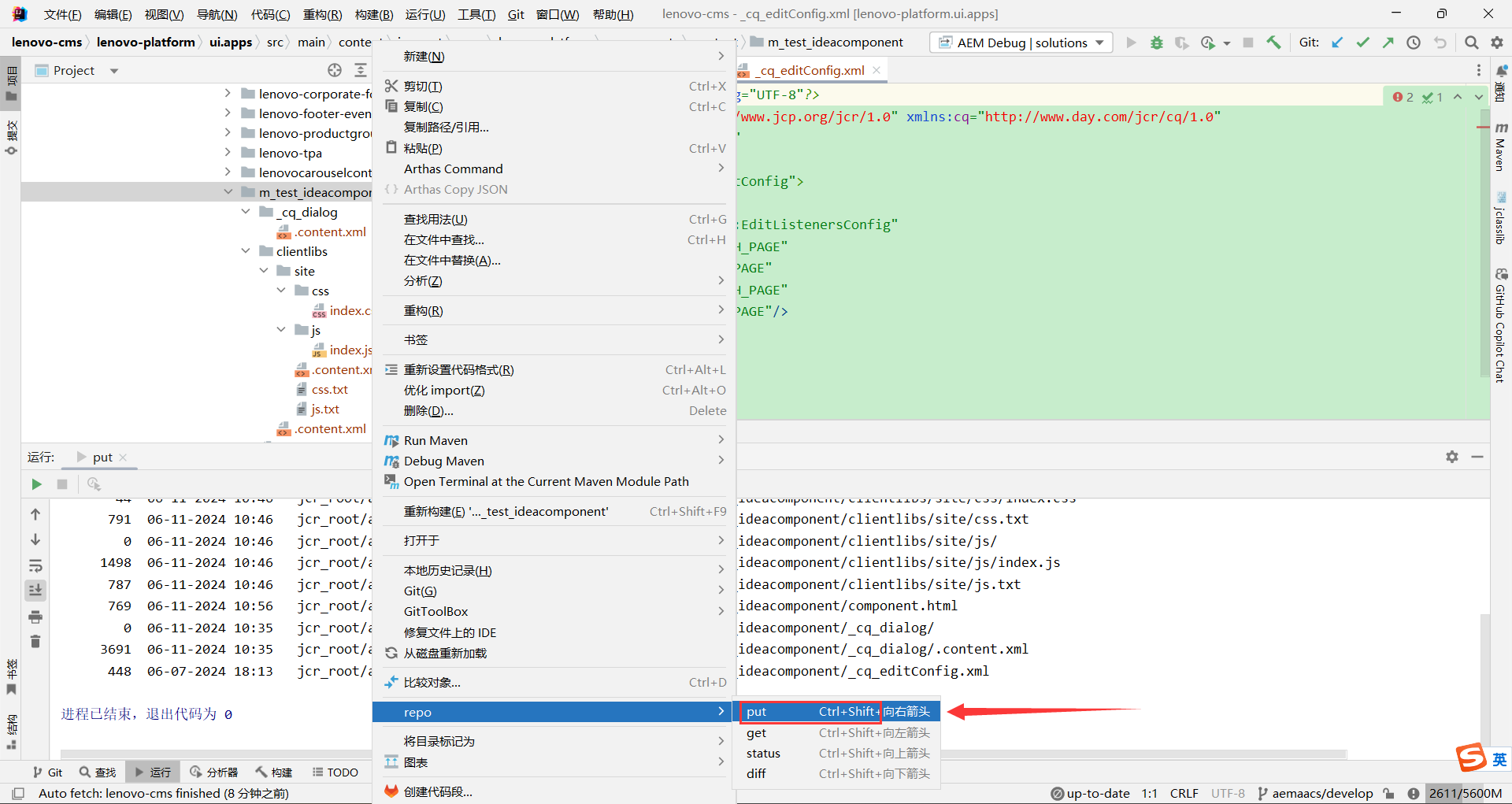
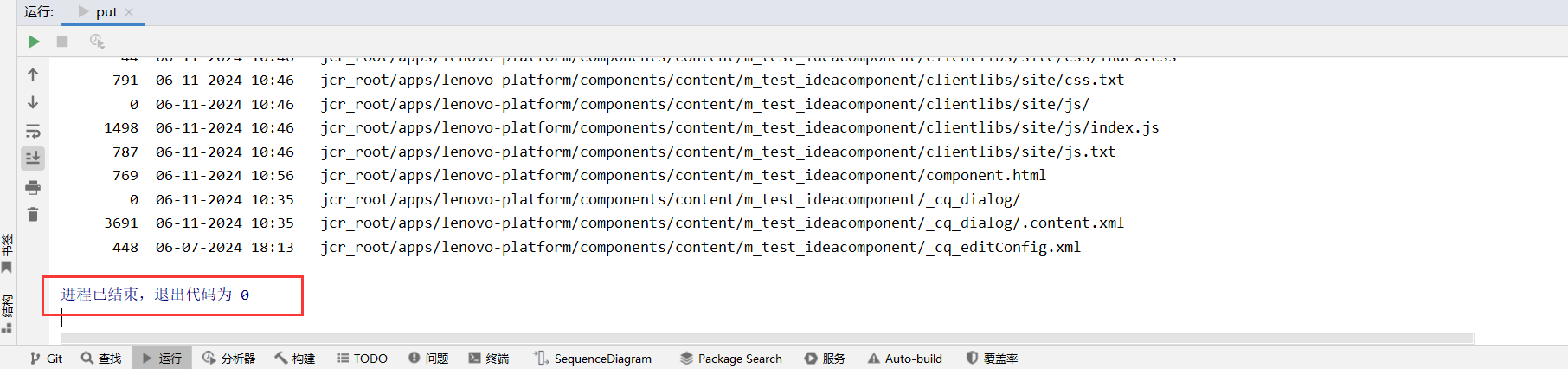
执行完毕:
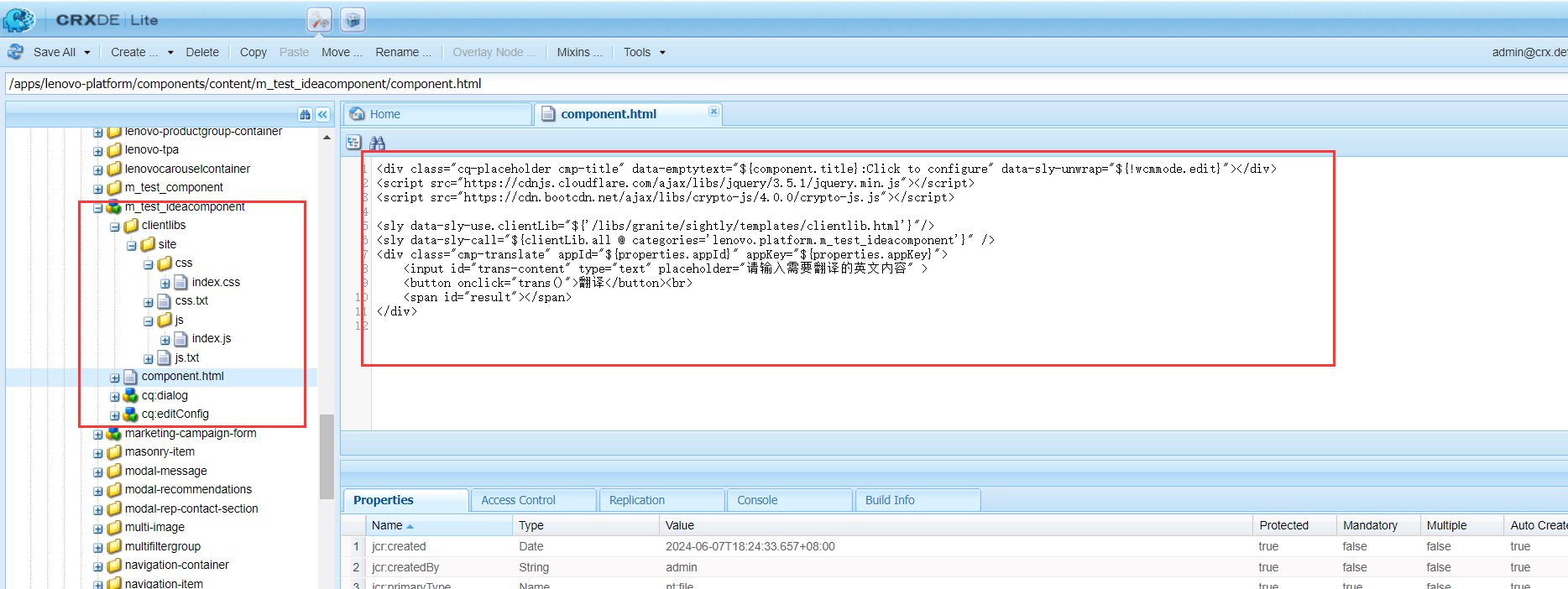
可以看到最新的内容已经在本地环境中:
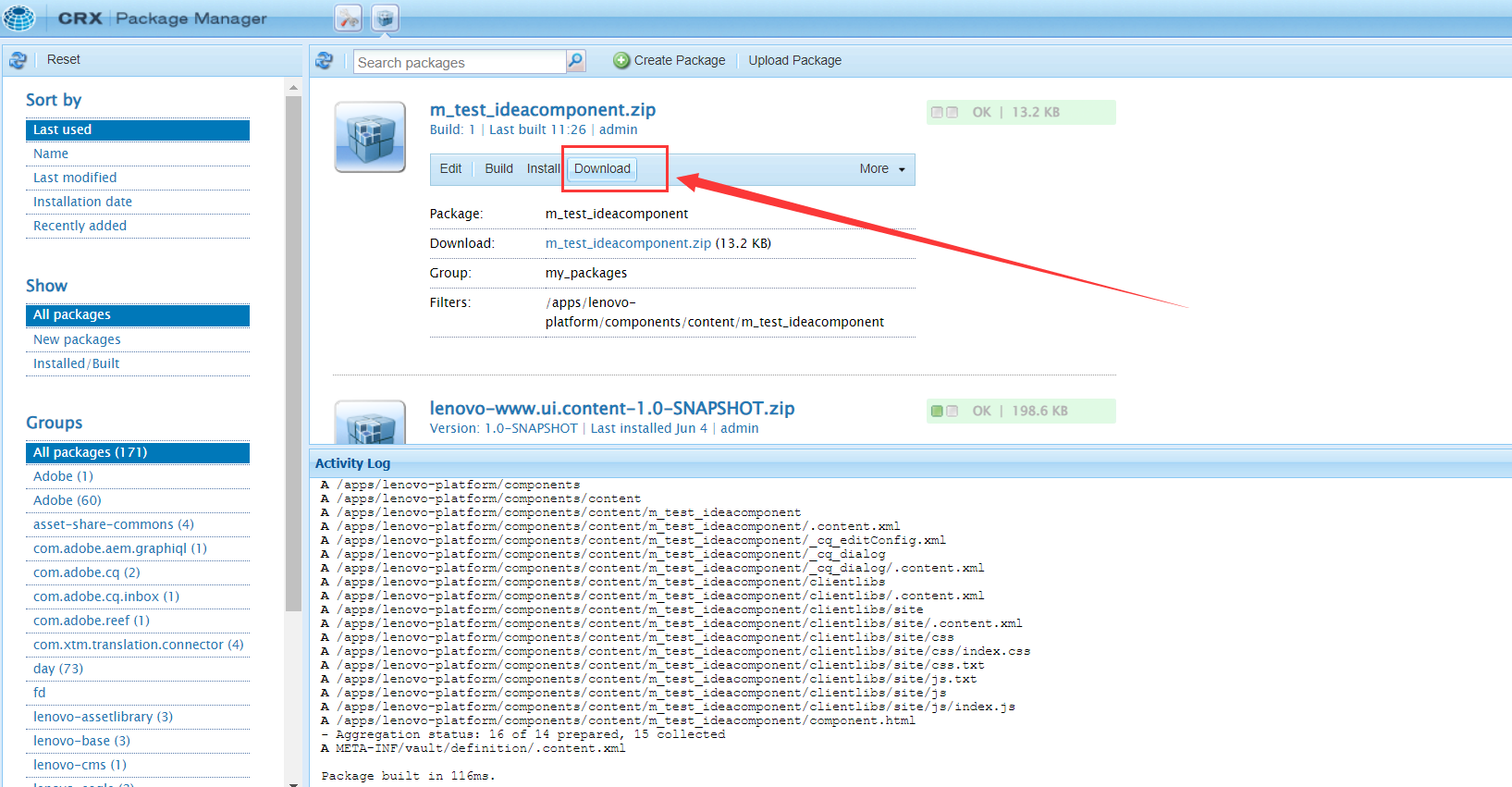
去包管理(详细的操作在CRX打包功能中已经说明过,此处步骤就缩减了):
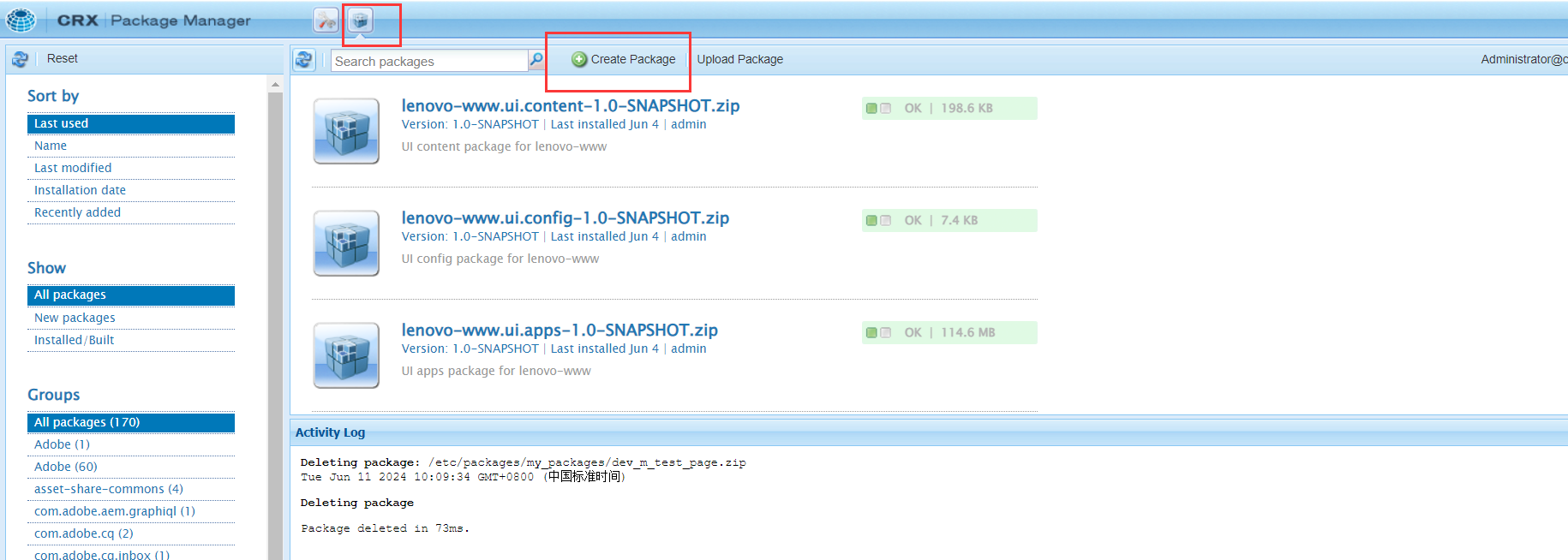
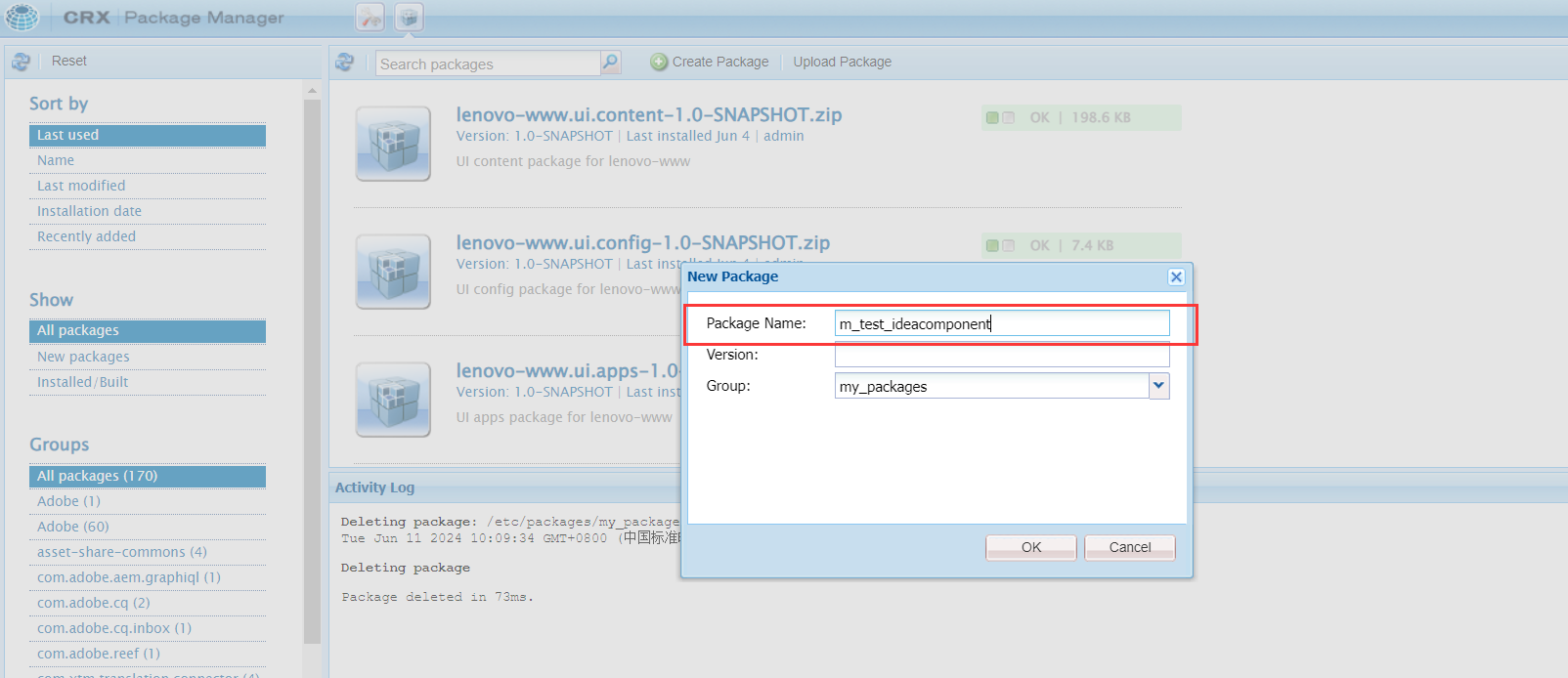
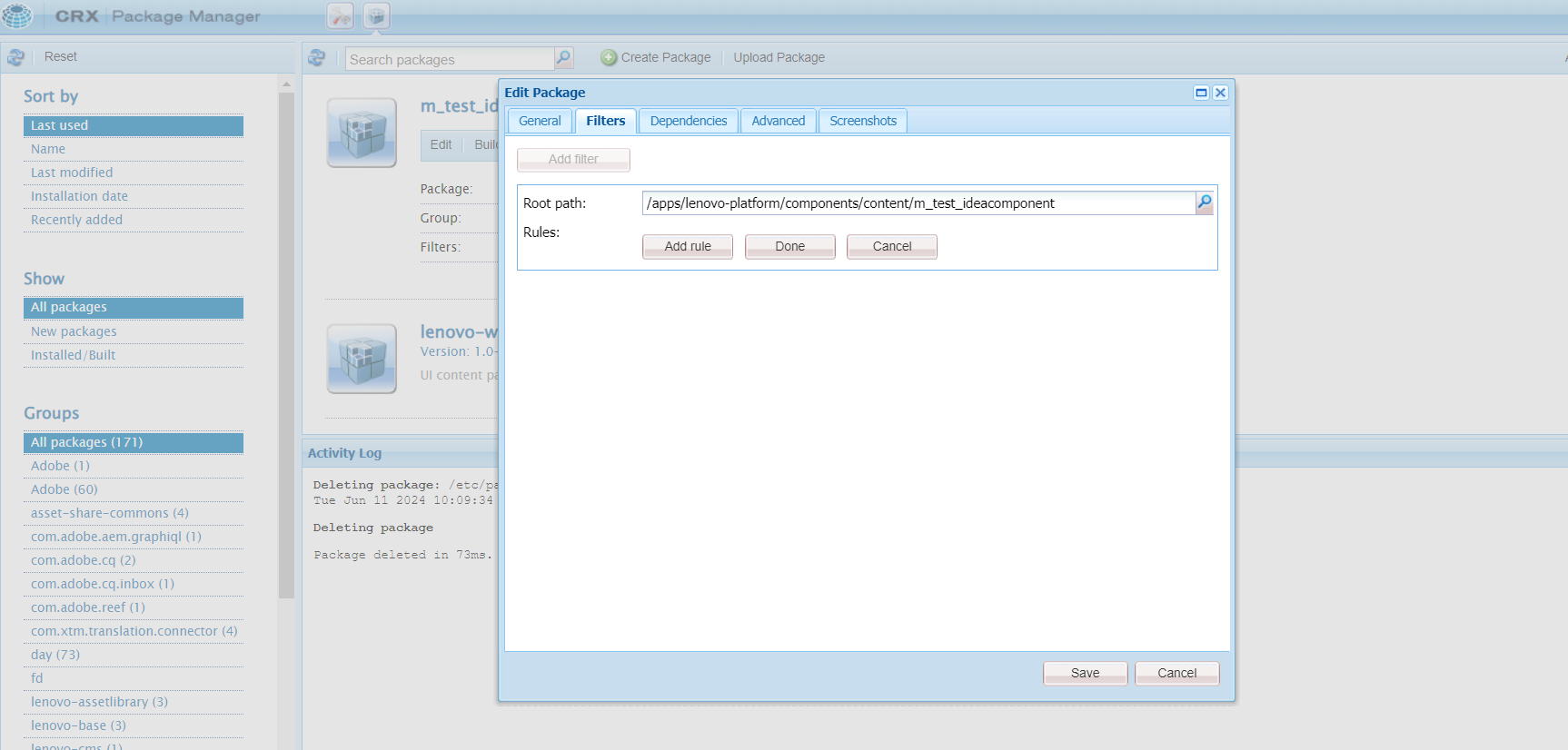
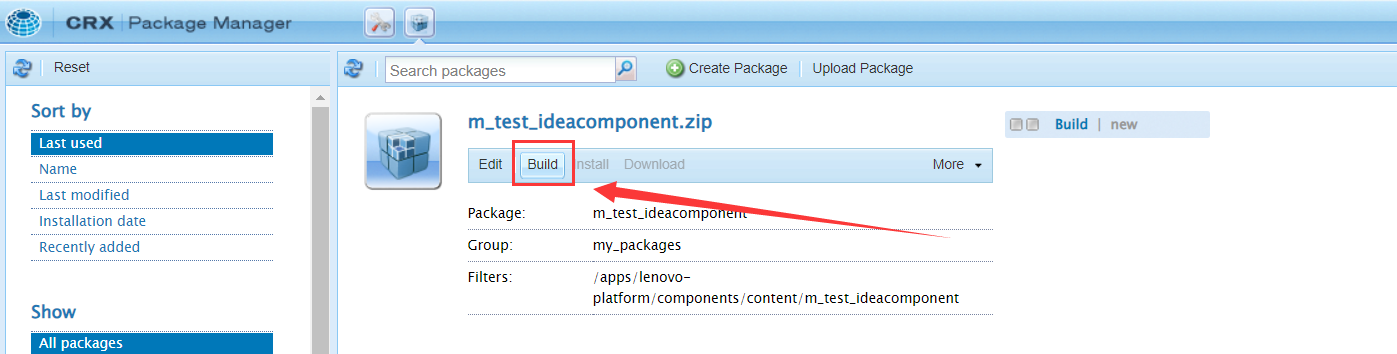
编译并导出组件包:
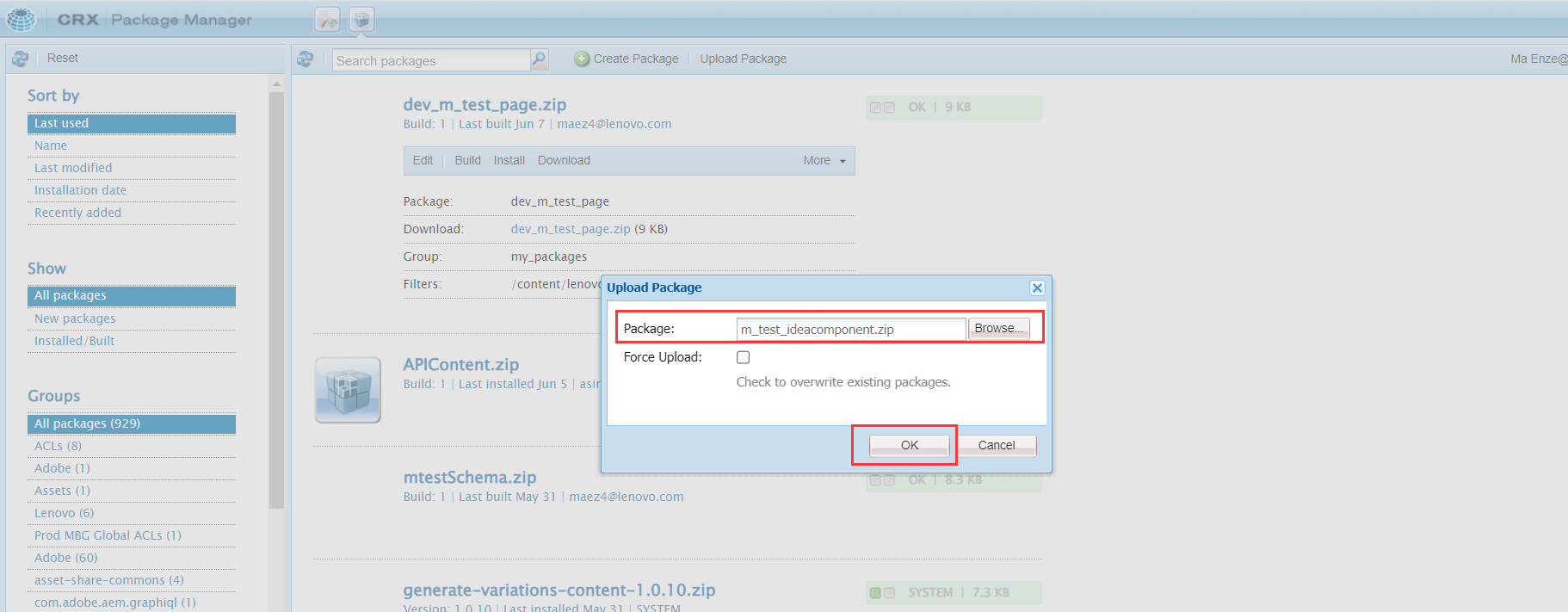
导入包:
提示如下:
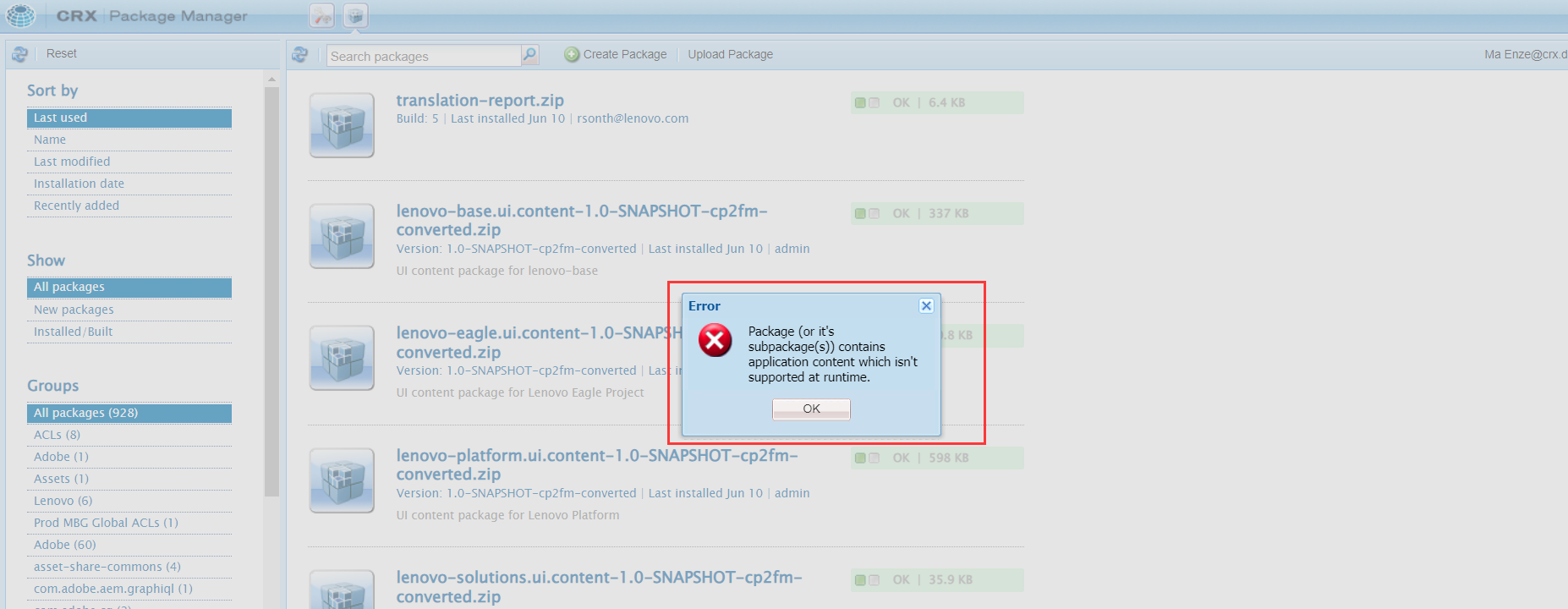
原因如下:
尝试安装的软件包包含 /apps 并且如果它包含任何不可变路径,则无法通过包管理器将其上传到AEMaaCS实例。
运行时仅可变区域,如 /content、/conf等可以修改。
此包应通过 cloud manager pipeline,将其嵌入到 所有 模块。
此外,请确保第三方包与云服务兼容。
因此,这条路目前行不通,只能通过后台去部署组件到对应环境。